If you want the short answer: the right churn tool depends on your data, your team size, and how fast you need alerts. In this list, I’d put Gainsight and Qualtrics XM in the enterprise camp, ChurnZero and Vitally in the mid-market CS camp, Pendo for product-led teams, Pecan AI and Akkio for no-code ML scoring, Zendesk for support-led churn signals, Hotjar for churn diagnosis, and Cuoral for low-cost, fast alerts.
Here’s the core takeaway in plain English:
- ML tools often beat rule-based scoring for finding churn risk early
- Product usage data usually matters more than CRM fields alone
- Fast alerts matter because delayed alerts can cost save opportunities
- Integrations with CRM, billing, and product analytics are a must
- Price range is wide, from $49/month to large custom enterprise contracts
A few numbers stand out:
- AI-based tools in this market claim around 85% to 92% accuracy in a 30-day churn window
- Rule-based systems often catch about 60% to 70% of churners early
- ML-first systems often land in the 70% to 80%+ range
- Some tools alert in 2 to 5 minutes, while others update in 4-hour batches
Here’s the full set of tools covered in the article:
- Zendesk
- Gainsight
- ChurnZero
- Pecan AI
- Pendo
- Hotjar
- Vitally
- Qualtrics XM
- Akkio
- Cuoral
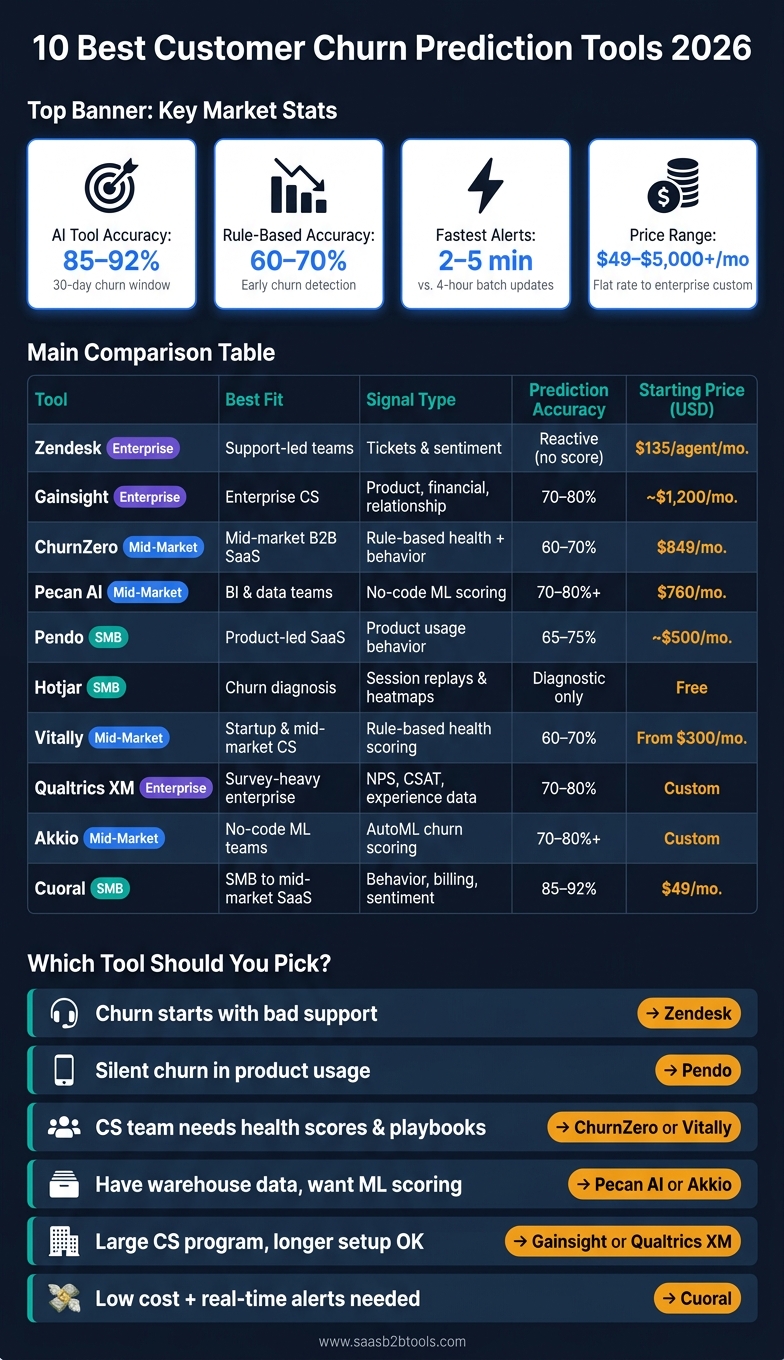
10 Best Customer Churn Prediction Tools 2026: Side-by-Side Comparison
Predict Customer Churn with AutoML
sbb-itb-8aac02d
Quick Comparison
| Tool | Best Fit | Main Signal Type | Starting Price |
|---|---|---|---|
| Zendesk | Support-led teams | Tickets, sentiment, complaints | $135/agent/month |
| Gainsight | Enterprise CS teams | Product, financial, relationship data | ~$1,200/month |
| ChurnZero | Mid-market B2B SaaS | Rule-based health + behavior | $849/month |
| Pecan AI | BI and data teams | No-code ML scoring | $760/month |
| Pendo | Product-led SaaS | Product usage behavior | ~$500/month |
| Hotjar | Teams diagnosing churn | Session replays, heatmaps | $0 |
| Vitally | Startup and mid-market CS | Rule-based health scoring | From $300/month |
| Qualtrics XM | Survey-heavy enterprise teams | NPS, CSAT, experience data | Custom |
| Akkio | No-code modeling teams | AutoML churn scoring | Custom |
| Cuoral | SMB to mid-market SaaS | Behavior, billing, sentiment, usage | $49/month |
If I were narrowing this list fast, I’d use this filter:
- Pick Zendesk if churn starts with bad support experiences
- Pick Pendo if silent churn shows up in product usage first
- Pick ChurnZero or Vitally if your CS team needs health scores and playbooks
- Pick Pecan AI or Akkio if you already have warehouse data and want scoring without building models by hand
- Pick Gainsight or Qualtrics XM if you run a large CS program and can handle a longer setup
- Pick Cuoral if you want a low-cost option with very fast alerts
The article below breaks down where each tool fits, what it does well, what to watch for, and how pricing stacks up in U.S. dollars.
What to Look for in a Customer Churn Prediction Tool
Use these four filters to judge each tool below.
Model type. Some tools rely on rule-based scoring. Others use ML models trained on past accounts. That difference matters. Rule-based systems catch 60–70% of churners at least 30 days out, while ML-powered tools reach 70–80%+. Use this lens when you compare the options below.
Signal quality matters more than model complexity. This is where a lot of teams get tripped up. Behavioral signals like logins, feature use, and usage drops tend to predict churn better than CRM fields alone. So before you spend time judging any tool, make sure your product analytics are set up correctly. A behavioral churn score without usage events is just a billing dashboard.
Required integrations are non-negotiable. At a minimum, look for CRM strategies, billing, and product-data integrations. If your team is more advanced, you’ll also want help desk and warehouse connectors. Integrations shape whether a tool can do more than show a score on a screen.
Actionability separates useful tools from dashboards. A prediction only matters if it sets something in motion: a Slack alert, an automated playbook, or an in-app message. Without that next step, you’re just watching risk pile up. Real-time alerts with latency under 5 minutes can improve customer save rates by 40–60% compared with batch processing.
Watch for pricing opacity. Some vendors publish flat rates in USD, which makes ROI easier to estimate upfront. Others use sales-led, custom pricing models. Look at the total cost, not just the license fee. These criteria make the side-by-side comparison easier to read.
1. Zendesk
Zendesk spots churn risk through support interactions. It looks at ticket sentiment and complaint patterns as warning signs, which makes it a strong fit for teams where service quality has the biggest effect on retention. Its AI-powered quality assurance and sentiment analysis review 100% of support tickets and conversations for signs of dissatisfaction, and Spotlight automatically flags angry sentiment and repeat complaints.
Its omnichannel hub pulls email, chat, phone, and social into one place. That gives teams a single view of issues and response times. It also connects with CRM and e-commerce tools, so support signals can feed into broader account workflows.
There’s a catch: these signals are reactive, not predictive. In plain English, Zendesk usually tells you there’s a problem after a customer has already had a bad experience. By the time an angry ticket shows up, churn risk may already be high. It can also miss quiet churners who stop using the product and never contact support.
If churn tends to start before someone reaches out to support, you’ll want to pair Zendesk with product-usage data. That’s where it works best: when support interactions are the first clear sign that an account is in trouble.
| Plan | Price (USD) | Best For |
|---|---|---|
| Support Team plan | $135 per agent/month (billed annually) | SMBs focused on support-driven retention |
| Enterprise tier | Up to $1,105 per agent/month (billed annually) | Large teams needing sentiment analysis and automated QA |
| Free trial | 14 days | Testing core features before committing |
The next tools move closer to product usage and broader account health.
2. Gainsight
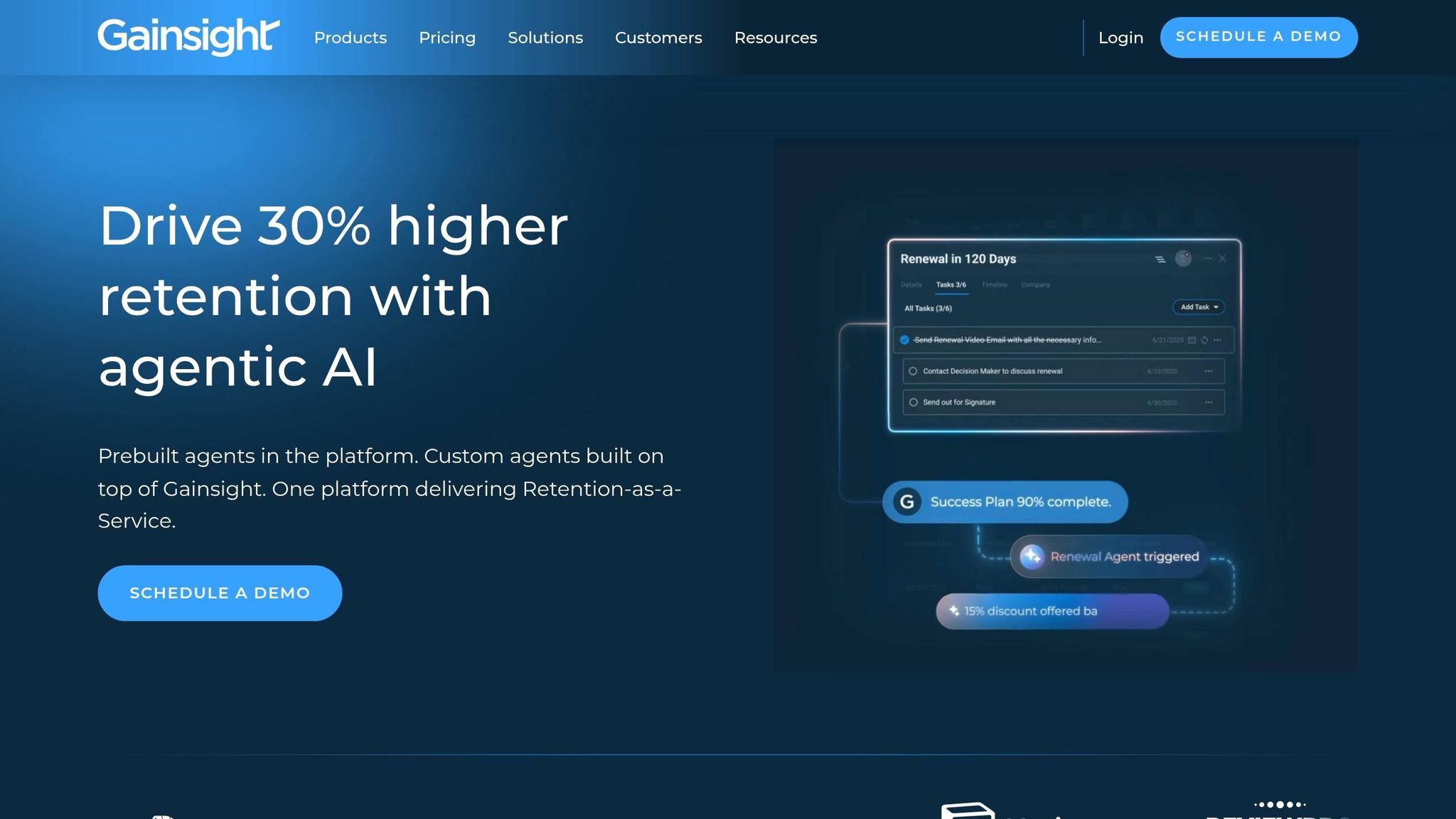
Gainsight goes well beyond a support-first setup. Unlike Zendesk, it connects churn risk to product, financial, and relationship signals, not just support activity. That means CS teams can look at product usage, NPS/CSAT, financial health, and sentiment in one health score. The result is a full account-health model instead of a view centered mostly on tickets and support trends.
Its AI layer adds another piece to the puzzle. Horizon AI uses machine learning to spot risk patterns and recalibrate models based on past outcomes. Staircase AI reviews customer emails, calls, and support threads for sentiment changes and competitor mentions. That helps teams catch relationship decline up to six weeks earlier than product usage data alone.
When a risk signal appears, Journey Orchestrator can kick off automated playbooks and multi-step intervention campaigns. In one case, an enterprise SaaS company lowered churn from 5.2% to 3.8% over 12 months after using Gainsight.
There is a catch: Gainsight takes work to get up and running. Setup usually takes 3 to 6 months, alerts update in batches with about a 4-hour delay, and the platform often needs a dedicated CS Ops admin to keep things running well. It also doesn't include native warehouse connectors.
| Plan | Estimated Cost (USD) |
|---|---|
| Starting price | ~$1,200/month |
| Typical enterprise cost | $2,500–$5,000/month |
Gainsight makes the most sense for teams with $10M+ ARR and a dedicated CS Ops function. For smaller teams, the setup and admin burden can be too much. If your team wants something lighter and more product-led, the next tools are easier to deploy.
3. ChurnZero
ChurnZero is a good fit for teams that want a more structured way to handle retention without taking on the weight of a big enterprise system. It’s aimed at mid-market B2B SaaS teams with roughly 100–1,000 customers that have moved past spreadsheets and now need a more guided setup for managing named accounts.
Its ChurnScore™ updates in near real time as product usage shifts. The score is based on rule-driven thresholds that CSMs can adjust by hand, and alerts usually come through within 10–30 minutes.
If a score drops, Success Playbooks point the team toward the next move. At the same time, in-app messages can kick off outreach or other intervention steps. That makes the predict-surface-act cycle feel tight and practical, without a lot of technical lift.
ChurnZero connects with Salesforce, HubSpot, Zendesk, Stripe, Chargebee, Recurly, Segment, Mixpanel, and Amplitude. Still, implementation isn’t instant. Most teams should expect setup to take about 2–3 months.
| Detail | Specification |
|---|---|
| Starting Price | $849/month |
| Pricing Model | Sales-led, custom-quoted |
| Setup Time | 2–3 months |
| Alert Speed | 10–30 minutes |
| Best For | Mid-market B2B SaaS teams managing 500+ customers |
Next come tools that lean more on product analytics and broader churn signals.
4. Pecan AI
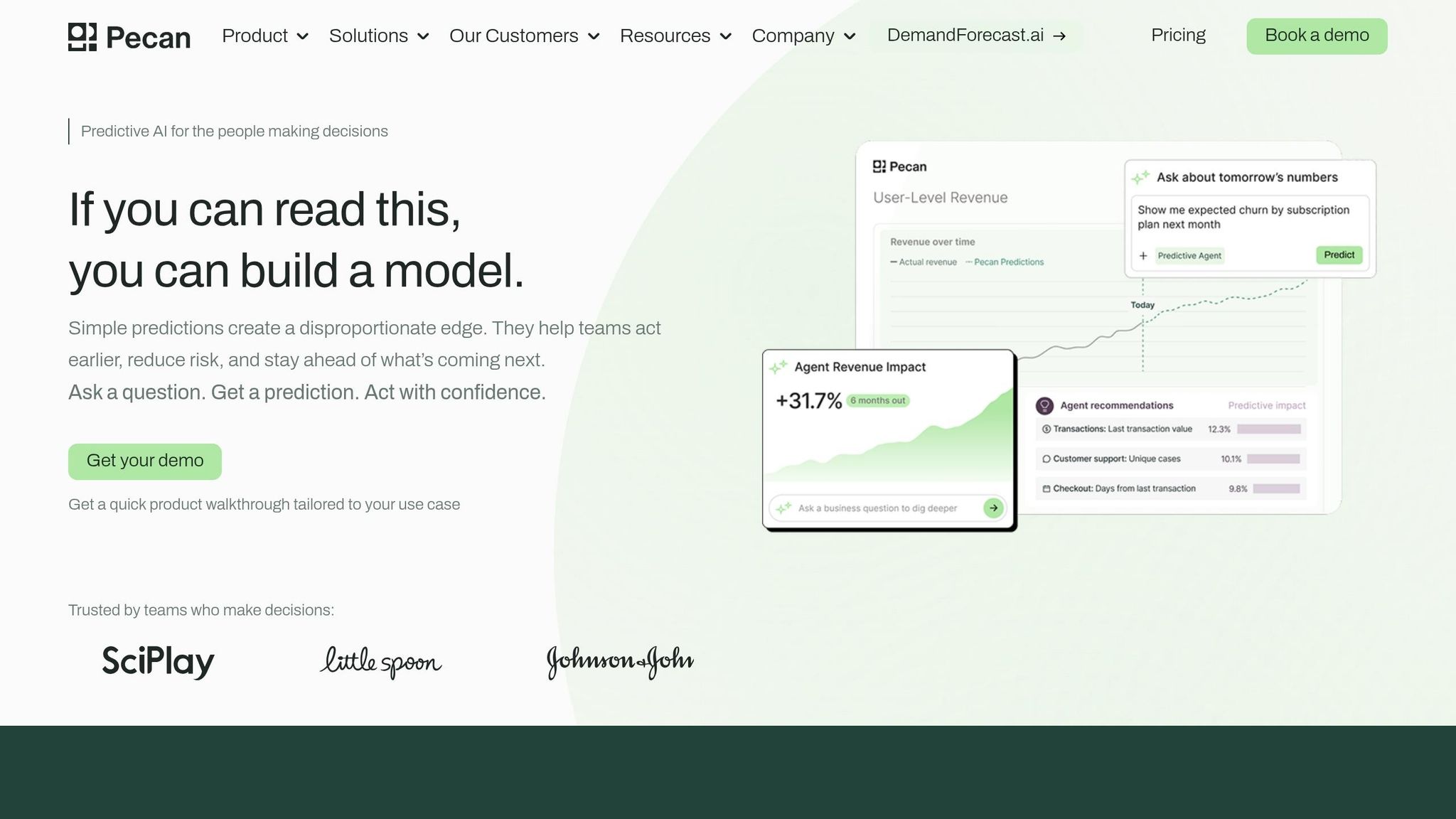
Pecan AI is a prediction layer, not a CS platform. It creates churn risk scores that teams can send into Salesforce or HubSpot and then act on there. So if you already have data and just need a lighter way to turn that data into churn scores, Pecan fits that job well.
Its Predictive AI Agent lets business teams and data analysts build churn models in plain English, with no coding required. It also handles data prep, feature engineering, and model tuning for you. Another plus: it can work with messy warehouse data, so you don't need a perfectly cleaned dataset before you get started.
Most teams can deploy their first predictive model in less than a day, and often within a few hours. That speed shows up in customer results too. Whistle Express, Clearwave Fiber, and The Credit Pros used Pecan AI to build churn models in weeks instead of months, then activate those scores inside Salesforce.
Pecan uses usage-based pricing.
| Plan | Monthly Cost (Annual) | Prediction Batches | Storage | Support |
|---|---|---|---|---|
| Starter | $760 | 2 | 500M rows | In-app |
| Team | $1,400 | 10 | 2B rows | In-app + Essential |
| Business | Custom | Custom | 5B rows | In-app + Pro |
Pecan makes the most sense for BI teams and data analysts that want ML-powered churn scores without building and maintaining models in-house. It isn't built for playbooks or CSM workflows, so those teams may want to pair it with a CS platform.
Next, the list shifts from prediction layers to product analytics tools.
5. Pendo
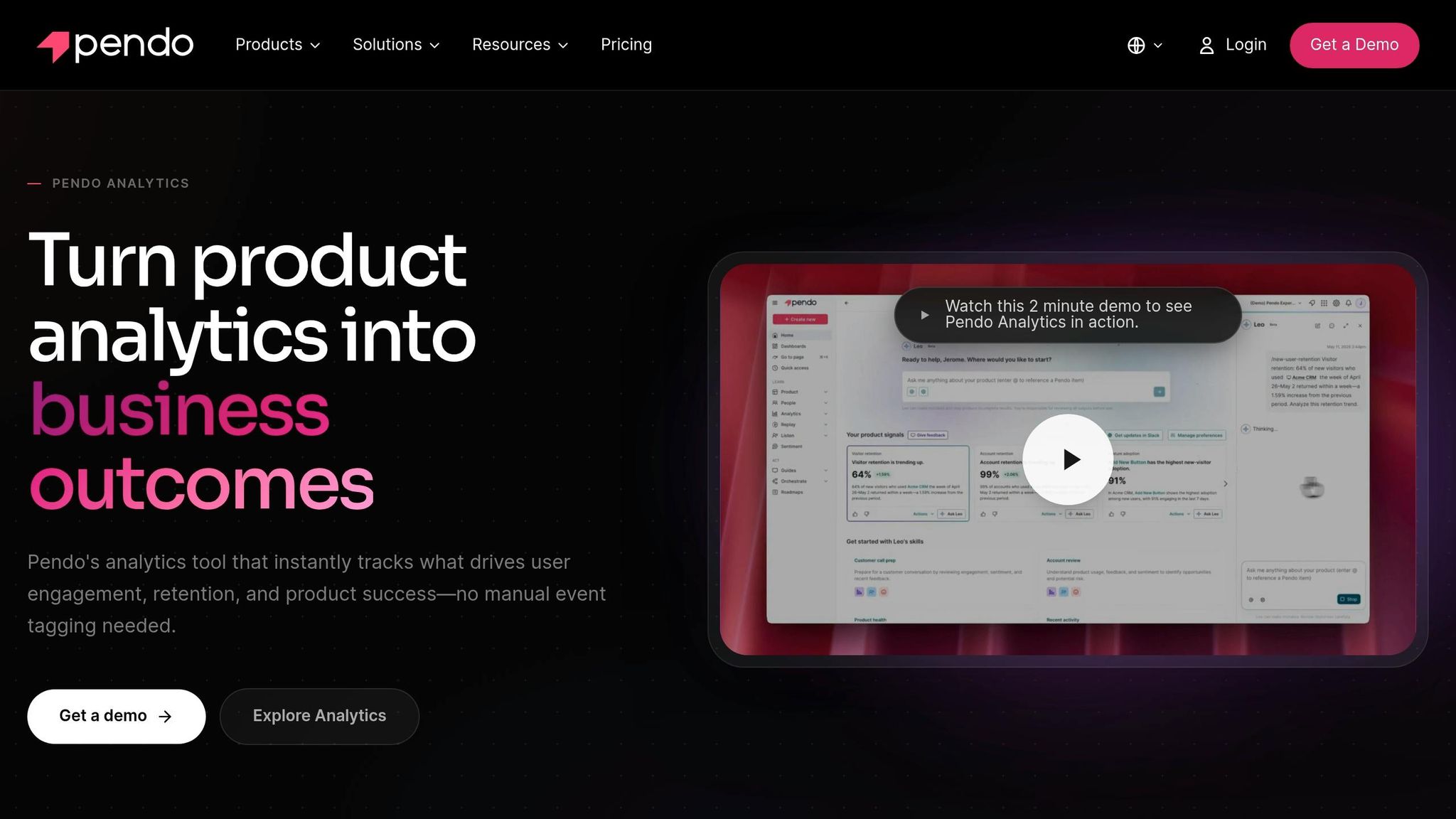
Moving away from model-first tools, Pendo puts the spotlight on product behavior.
Pendo Predict turns usage data into churn risk scores by looking at clicks, sessions, workflows, and feature interactions. That helps teams spot risk weeks before outside signals, like support tickets, start showing up. It also surfaces silent churners: accounts that slowly stop engaging and never bother to contact support.
One thing Pendo does well is explain why an account got flagged. It ties each risk flag to the behavior shifts behind it, so reps aren’t left guessing.
Its AI agent can also act on those signals in a few practical ways:
- Suggest next steps in CRM tools using retention playbooks
- Send Slack alerts when a risk score changes
- Launch targeted in-app guides or re-engagement campaigns
- Collect feedback from high-risk segments through Pendo Listen
Pendo Predict’s estimated accuracy falls between 65% and 75%. Pricing is custom, though reports put entry-level pricing at around $500/month. It’s a good match for product-led SaaS teams, especially when retention work is shared across CS and sales.
If you want lighter behavior-based insight rather than full predictive scoring, the next tool is a better fit.
6. Hotjar
Where Pendo measures behavior in numbers, Hotjar shows the friction inside each session. It doesn't predict churn. It helps you see the behavior behind it through session recordings, heatmaps, funnel analysis, and feedback polls. In plain English: Hotjar shows what users did, not what you hoped they would do. That makes it a strong fit for figuring out why people leave after a churn signal shows up.
Hotjar is especially useful for spotting why users never reach their first point of value. That same problem often sits underneath the churn models other tools try to flag from a distance. A simple way to use it is to compare sessions from churned users and retained users, then look for the activation step where things start to fall apart. It also connects with Google Analytics, Segment, Optimizely, Slack, and Zapier, so you can plug those behavior findings into the tools you already use.
Here's where Hotjar fits by team size and budget.
| Plan | Price (USD) | Best For |
|---|---|---|
| Free | $0/mo | Startups |
| Growth | $39/mo (billed annually) | Small SaaS teams |
| Pro/Enterprise | Custom | Large enterprises |
Hotjar only tracks behavior inside web and in-app experiences, and segmentation can feel limiting once your data gets bigger. It works best as an explanation layer for churn patterns, paired with a scoring tool that helps your team act on what Hotjar shows.
7. Vitally
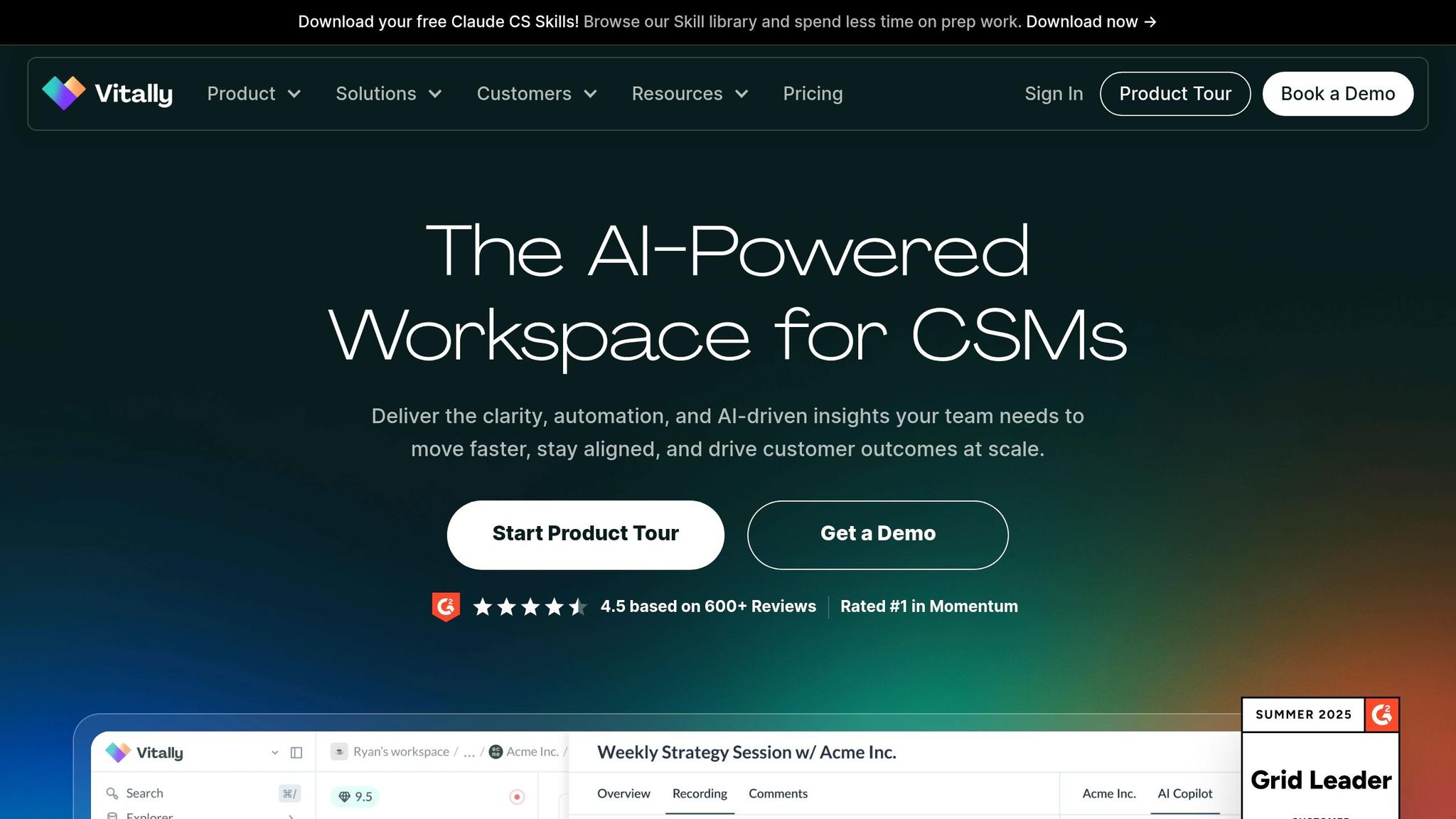
Vitally gives Customer Success teams one place to track account health, run playbooks, and act on churn risk. It tends to work best when product, billing, and CRM data are already flowing into the system. Once that setup is in place, the scoring layer turns those inputs into clear next steps.
The platform uses rule-based health scoring with light ML signals to flag at-risk accounts. That helps teams catch about 60–70% of churners at least 30 days in advance. Health scores refresh every 15–20 minutes, so teams aren't stuck looking at old data when usage starts to slip. At-risk accounts show up in a Kanban board, and alerts can go straight to Slack or Linear so CSMs can jump in fast. That's the main draw here: risk doesn't just sit in a dashboard. It gets pushed into day-to-day CS work.
Vitally also connects natively to Snowflake, BigQuery, dbt, Salesforce, HubSpot, Segment, Amplitude, Mixpanel, Stripe, Chargebee, and Recurly. That means health scores can reflect what accounts are actually doing, not just what's sitting in CRM fields.
It's a good match for teams running a modern stack like Snowflake and dbt and looking for a fast rollout. Implementation usually takes 2–4 weeks. For teams with fewer than 1,500 customers, Vitally can mean faster time-to-value and less overhead. Pricing is fairly simple:
| Plan | Monthly Cost (USD) | Best For |
|---|---|---|
| Starter | From $300/mo | Early-stage teams (up to 200 accounts) |
| Growth | $3,000–$5,000+/mo | Mid-market teams (200–1,000+ accounts) |
| Enterprise | Custom | Large organizations with complex needs |
One catch: Vitally is less suited for complex, multi-product enterprise accounts. If your CS team has fewer than 20 people and your data sits in a modern stack, it's a strong fit.
8. Qualtrics XM
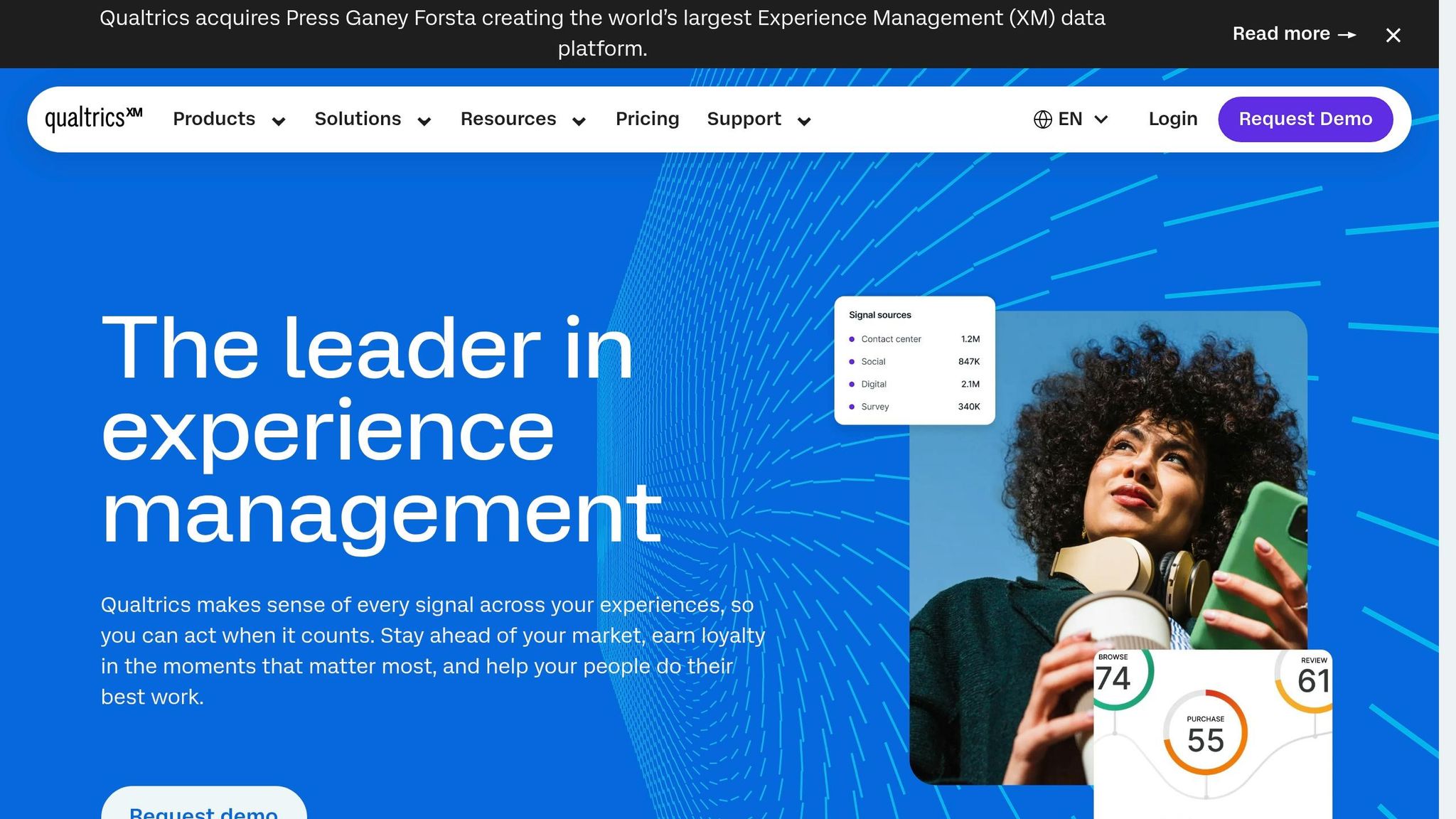
Qualtrics XM is a strong fit for teams that lean on survey feedback just as much as product data. It adds churn prediction to a broader experience-management setup by blending survey signals like NPS and CSAT with operational data, including CRM records, support tickets, and product usage. From there, it flags accounts that may be at risk of churning. Predict iQ uses machine-learning models to score those accounts.
Its Horizon AI layer adds predictive health scoring. On top of that, Conversation Intelligence reviews emails, calls, and support threads to spot early signs of dissatisfaction. If a customer sends in a low NPS response, Qualtrics can fire off an automated alert, open a support ticket, and send follow-up into tools like Salesforce or Slack. One catch: alerts usually come in with about a 4-hour delay.
That setup makes the platform a good match for teams that already manage NPS, support, and CRM workflows in the same stack.
Deployment is not light. Setup usually takes 3 to 6 months and often calls for help from CS Ops or data engineering. Predict iQ also needs a solid amount of churn history to work well. Qualtrics says it performs best with at least 500 churned respondents, and 5,000 or more is ideal. So if you want churn prediction inside a larger customer-experience program, this makes sense. If you just want a standalone scoring layer, it may feel heavy.
Pricing is custom and based on interactions.
| Feature | Detail |
|---|---|
| Prediction Accuracy | 70%–80% |
| Alert Latency | ~4 hours (batch updates) |
| Setup Time | 3–6 months |
| Key Integrations | Salesforce, HubSpot, Zendesk, Slack, Microsoft Teams |
| Best For | Enterprise companies with 500–10,000+ customers |
| Median Annual Cost | $30,000 |
If you need a lighter, self-serve prediction layer, the next tool is easier to deploy.
9. Akkio
Akkio is a good fit for teams that want a faster, no-code way to build churn models. It turns past customer data into churn scores with less setup, which is a big deal when you already have the data and just need answers fast. Akkio is a no-code AI platform built for churn prediction models using historical customer data.
Its Auto ML engine tests multiple models and picks the strongest fit. So instead of building and comparing models by hand, teams can get to usable output much faster.
Akkio also includes a Propensity Agent that helps non-technical teams build churn and retention models without writing code. That lowers the barrier for marketing, success, and ops teams that want to work with prediction tools without waiting on data science support.
Another useful part: models stay synced to live data, so scores update as inputs change. In plain English, that means your churn scores don't just sit there and go stale. They move with the data. For teams that need a quick prediction layer on top of their current stack, that's a strong selling point.
Akkio also supports white-labeled dashboards and reports. That's handy for teams that need to share branded churn insights with clients, partners, or other external groups.
| Feature | Detail |
|---|---|
| Model Building | Auto ML engine tests multiple models and selects the strongest fit |
| Key Integrations | Salesforce, HubSpot (Beta), Google BigQuery, Snowflake, Google Sheets, Google Analytics 4 (Beta) |
| Best For | Teams that need fast, no-code churn scoring and shareable model outputs |
| Deployment Options | WebApp endpoint, API embed, or public shareable URL |
| Pricing | Not publicly listed |
10. Cuoral
Cuoral is a strong fit for SMB and mid-market SaaS teams with 10–5,000 customers that want churn prediction without the usual enterprise drag. It pulls together four signal types - behavioral signals (logins, feature usage), usage velocity (MAU/DAU ratio), sentiment data (support tickets, NPS), and billing signals (failed payments) - and uses machine learning to flag at-risk accounts in 2–5 minutes. For PLG teams, that kind of speed can make a big difference.
What makes it useful is that it doesn’t stop at the alert. Session replay lets teams see what happened right before the drop-off. So instead of guessing why a customer went quiet, the team can review the actual session, spot the friction point, and shape outreach around what they find.
The setup is also light. Cuoral offers 5-minute, no-code setup, which makes it easier for smaller SaaS teams to get started without a long rollout.
In one B2B SaaS case study, a company with $6M ARR cut churn from 7% to 4.2% over six months, which saved $2.1M in annual revenue.
Here’s the quick spec sheet.
| Feature | Detail |
|---|---|
| Prediction Accuracy | 85–92% |
| Alert Latency | 2–5 minutes |
| Setup Time | 5 minutes, no-code |
| Alert Channels | Slack, Microsoft Teams, SMS, Email |
| Best For | SMB to mid-market SaaS (10–5,000 customers) |
| Price | $49/month flat rate; 14-day free trial; no credit card required |
Side-by-Side Comparison of All 10 Tools
Use the tables below to compare cost, prediction depth, and best fit at a glance. This setup makes it simpler to look at each tool using the same yardstick.
| Tool | Primary Focus | Churn Prediction Capability | Best-Fit Segment | Major Integrations | Pricing (USD) |
|---|---|---|---|---|---|
| Zendesk | Support/CX | Support sentiment signals | SMB to Enterprise | Salesforce, Shopify, Slack | $135+/agent/mo |
| Gainsight | Enterprise CS Ops | ML risk modeling | Enterprise | Salesforce, Slack, Zendesk | $1,200+/mo |
| ChurnZero | B2B SaaS CS | ChurnScore (behavioral + rules) | Mid-market | HubSpot, Salesforce, Slack | $849+/mo |
| Pecan AI | Predictive modeling | No-code ML models | Mid-market/Enterprise | Snowflake, BigQuery, Salesforce | $760+/mo |
| Pendo | Product-led growth | ML behavioral models | SMB to Mid-market | Salesforce, HubSpot, Segment | Free tier; paid plans start around $500/mo |
| Hotjar | UX/UI insights | Diagnostic (non-predictive) | SMB to Mid-market | Google Analytics, Shopify | Free tier; Growth plan starts at $39/mo |
| Vitally | CS collaboration | Real-time health scores | Mid-market/Startups | HubSpot, Zendesk, Segment | $300–$800/mo |
| Qualtrics XM | Voice of customer | Survey-based risk scoring | Enterprise | Salesforce, Zendesk, Slack | Custom quote |
| Akkio | No-code ML | Auto ML model builder | SMB to Mid-market | Snowflake, Salesforce | Custom |
| Cuoral | Real-time alerts | AI behavioral prediction | SMB to Mid-market | Slack, Teams, SMS | $49/mo flat |
As a general rule, ML-first tools tend to beat rule-based scoring on prediction quality. But rule-based systems are often simpler to explain, tune, and keep running.
The next table shows the main give-and-take for each tool.
| Tool | Biggest Pro | Biggest Con |
|---|---|---|
| Zendesk | Best for support-heavy churn signals | Lagging indicator; misses "silent" churners |
| Gainsight | Deepest signal breadth; enterprise automation | 3–6 month setup; high annual contract cost |
| ChurnZero | Strong playbooks; SaaS-specific workflows | Requires high data hygiene to be effective |
| Pecan AI | High-accuracy ML without a data science team | Prediction only; needs downstream tools to act |
| Pendo | Ties churn directly to product feature usage | Pricing scales fast with monthly active user count |
| Hotjar | Visual proof of where users drop off | Diagnostic only; no automated risk scoring |
| Vitally | Modern UI; fast time-to-value for PLG teams | Rule-based scoring is less accurate than pure ML |
| Qualtrics XM | Best-in-class NPS and feedback loop analysis | Weak on product usage signals; expensive |
| Akkio | Versatile ML for churn and lead scoring | Not a dedicated CS platform; lacks playbooks |
| Cuoral | 5-minute setup; real-time alerts; very affordable | Smaller ecosystem; fewer integrations than full CSPs |
Next, use these tradeoffs to narrow your shortlist by team size, data stack, and workflow needs.
How to Pick the Right Tool for Your Team
Use the table above to shrink your shortlist based on what’s driving churn, who owns the account, and how mature your data setup is.
If support issues are pushing customers out, start with Zendesk. If your CS team owns renewals, look at Gainsight or ChurnZero. If you run a product-led motion and need to spot quiet churners, Pendo makes more sense. And if you already have a data warehouse and want more accurate scoring without swapping out your CRM, Pecan AI is a strong fit.
One warning here: don’t spend money on behavior-based scoring if your product analytics still aren’t instrumented. Missing usage data turns a churn score into little more than a billing dashboard.
The key is simple: fit the tool to how your team works now, not to some future version of the company that doesn’t exist yet.
| Stage | Recommended Approach | Example Tools |
|---|---|---|
| <50 accounts | Qualitative founder calls | - |
| 50–2,000 customers | Rule-based health scoring | Vitally, ChurnZero |
| Data-mature | ML prediction layer | Pecan AI, Akkio |
| Enterprise CS team | Full customer success platform | Gainsight, ChurnZero |
| PLG motion | Behavioral / product analytics | Pendo |
Before you sign any contract, check the integration depth. A tool that doesn’t connect to your CRM (HubSpot or Salesforce), billing system (Stripe or Chargebee), and product analytics (Segment or Mixpanel) will leave you with a fragmented picture.
The best signal pulls together product usage, payment history, and support data in one place. That’s where the score starts to mean something. Otherwise, you’re looking at isolated signals and hoping they tell a full story.
Also, build your intervention playbook before you buy the prediction tool. If those systems don’t connect, the score stays fragmented.
The last filter is ownership: every alert needs a named next step.
Conclusion
After comparing the 10 tools above, the right choice comes down to data maturity, ownership, and your current tech stack.
The best fit depends on where your team is right now. Smaller teams may do fine with light scoring. Mid-market CS teams often need workflow automation. Enterprise teams usually need deeper AI platforms. Before you commit, check your integrations first, especially for CRM, billing, and product data.
Pecan AI gets deployed faster than many enterprise platforms, and that matters when churn is already happening. If you want a better save rate, start with a tool that fits your stage, connect it to the systems you already use, and decide in advance how your team will respond.
FAQs
How much data do I need for accurate churn prediction?
Accurate churn prediction usually comes from combining multiple data sources, not looking at just one signal in isolation.
That often means pulling together:
- Product usage data
- Billing data
- Support data
- Engagement data
For machine learning models, teams usually need 12–24 months of historical data, especially when the customer base is large. If you don't have that much data, a machine learning setup may not be the best fit yet.
In that case, rule-based scoring or qualitative analysis is often a better starting point.
What integrations matter most in a churn tool?
The integrations that matter most are the ones that give the tool a full view of the customer. At a minimum, it should connect with CRM systems, billing platforms, and product analytics sources. That way, churn scores reflect behavior, payments, and product engagement instead of just one slice of the story.
Integrations for alerts, customer messaging, and workflow automation matter too. They help teams turn churn insights into real-time notifications and targeted retention actions, so the data doesn’t just sit there - it leads to action.
Should I choose rule-based scoring or ML?
It comes down to your team’s data maturity, available resources, and how much accuracy you need.
For most SaaS teams with fewer than 2,000 customers, rule-based scoring is a smart place to start. It costs less, takes less time to set up, and can flag many churn risks early.
ML makes more sense for larger, data-rich teams that want more accuracy and can handle the added setup, maintenance, and data infrastructure.

