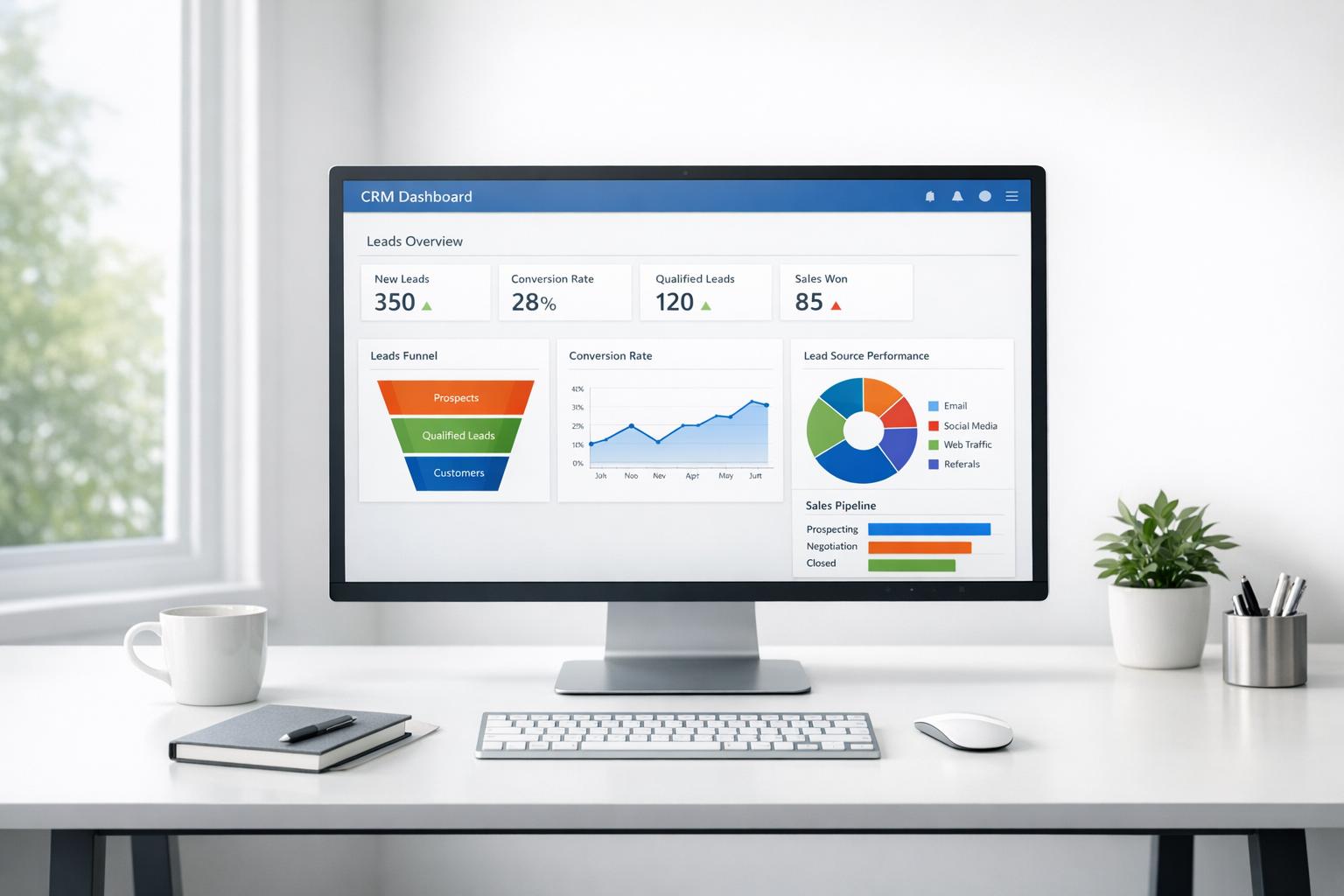
When your team outgrows spreadsheets for managing leads, it’s time to invest in a CRM. The right CRM centralizes customer data, streamlines follow-ups, and boosts sales productivity. But many CRMs fail because they’re overly complicated. This guide highlights simple, beginner-friendly CRMs perfect for small to medium-sized teams in the U.S.
Here’s a quick overview of the top options:
- HubSpot: Free plan available; scales with paid tiers starting at $9/month per user. Offers strong automation, integrations, and AI tools.
- Pipedrive: Known for its visual sales pipeline; starts at $14/month per user. Great for growing sales teams.
- Apollo: Combines a vast contact database with sales engagement tools; plans start at $49/month.
- Instantly: Flat-fee pricing with unlimited seats; ideal for cold outreach teams.
- Octopus CRM: Focused on LinkedIn automation; plans start at $9.99/month.
- Dripify: Cloud-based LinkedIn tool with A/B testing and advanced analytics; plans start at $39/month.
- Mails AI: Email outreach with unlimited sends; free plan available, paid plans start at $49/month.
These CRMs are easy to set up, integrate with tools like Gmail and Slack, and help teams focus on what matters - closing deals and managing customer relationships effectively.
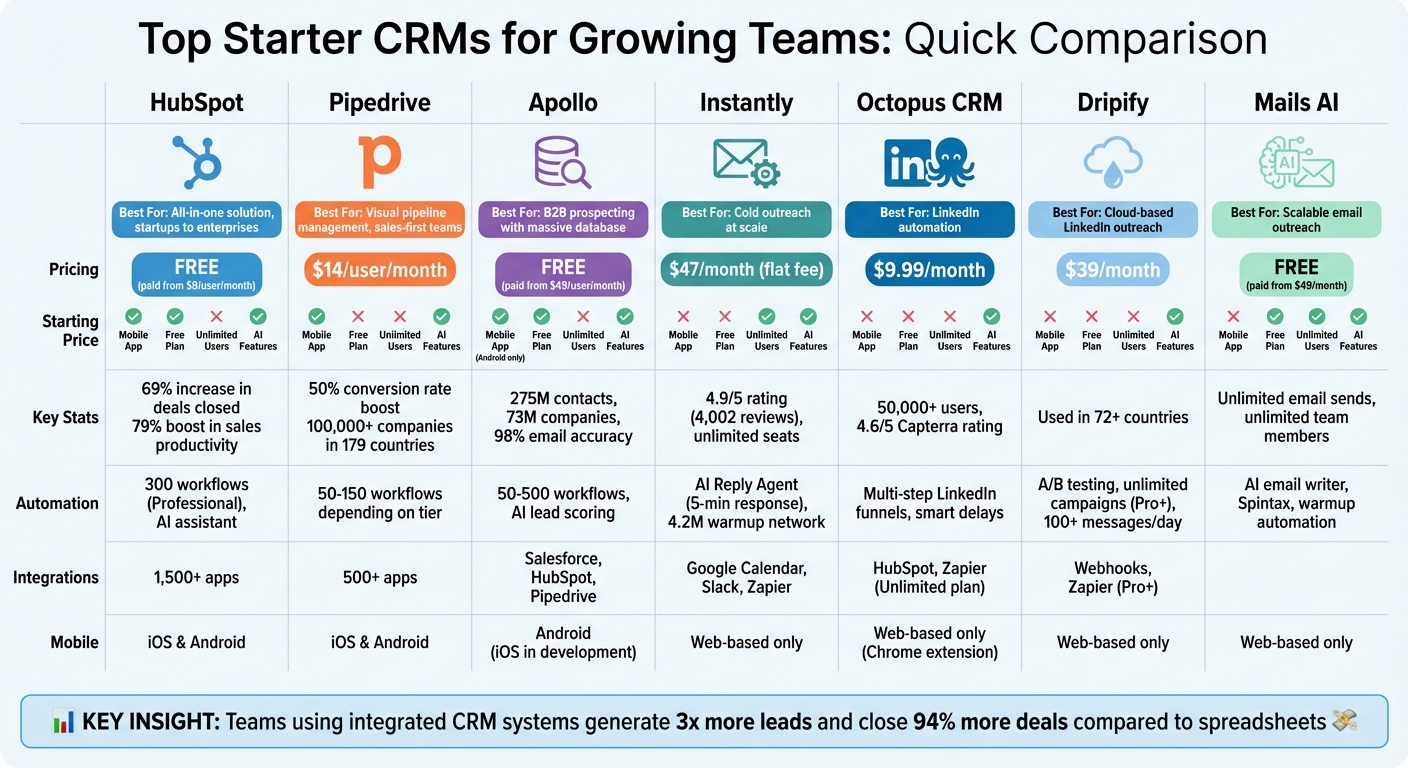
CRM Platform Comparison: Pricing, Features, and Capabilities for Growing Teams
My TOP 5 CRM Software | Free vs Paid CRMs for Small Business
1. HubSpot
HubSpot tops the list, catering to teams ranging from small startups to large enterprises. One of its standout features is its free tier - not just a trial - that supports up to two users. This includes essential CRM, marketing, and sales tools, allowing you to set up your first deal pipeline without spending a dime. Let's dive into HubSpot's pricing, automation tools, and integrations.
HubSpot users have reported some impressive results: a 69% increase in deals closed within six months of implementation, a 79% boost in sales rep productivity, and time-saving features like task queues and email templates that save reps at least four hours per week.
Pricing Tiers
HubSpot’s pricing is designed to grow with your business:
- Starter tier: Priced at $9/month per seat (billed annually), this plan includes two deal pipelines and basic automation, free from HubSpot branding.
- Professional tier: Starts at $45/month per seat, this plan offers 300 workflows, lead rotation, and up to 15 pipelines.
- Enterprise plan: Starts at $75/month per seat, this plan is built for complex needs and includes 1,000 workflows and custom objects. Note: some plans require a one-time onboarding fee starting at $1,500.
Choosing annual billing can save you 10–40%, and additional discounts might be available during month- or quarter-end deal negotiations.
Automation Capabilities
The Professional tier takes automation to the next level with 300 workflows that simplify sales processes. These workflows can handle tasks like lead rotation by territory, updating deal stages, and creating tasks based on buyer behavior. Personalized sales sequences can automatically follow up when a contact meets certain criteria - like visiting your pricing page multiple times.
HubSpot’s Breeze AI assistant makes automation even easier by creating workflows from natural language prompts, making it accessible even for non-technical users. To keep your team on track, workflows can notify managers if new leads aren’t contacted within two hours, ensuring compliance with speed-to-lead SLAs.
Integration Options
HubSpot integrates seamlessly with over 2,000 third-party apps, including Gmail, Outlook, LinkedIn Sales Navigator, Stripe, and Slack. Even on the free plan, the mobile app lets reps update deals, make calls, and access contact details while on the move. This flexibility ensures your team stays connected and productive, no matter where they are.
Get started with HubSpot for free.
2. Pipedrive
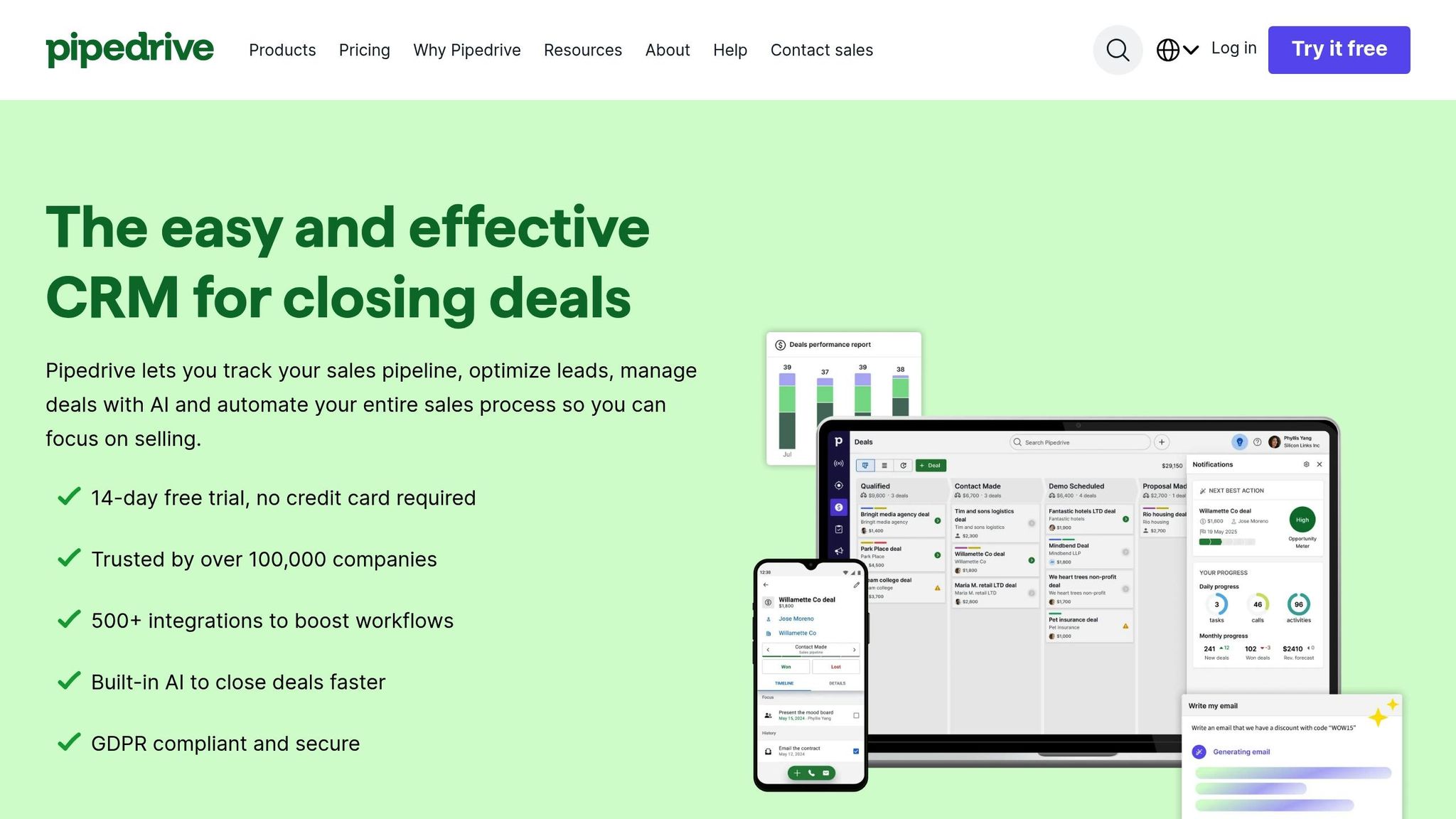
Pipedrive supports over 100,000 companies in 179 countries, focusing on a sales-first approach with its visual pipeline management system. Its user-friendly interface can be set up in under 30 minutes. Gray Matters, a consultancy firm, saw a 50% boost in conversion rates within 18 months after moving from spreadsheets to Pipedrive's visual pipeline. Adam Graham, the firm's owner, shared:
"We've been using Pipedrive for 18 months now and are really seeing the benefits. We like it because it's visual, customizable, and affordable".
While HubSpot is known for its all-in-one capabilities, Pipedrive stands out with its streamlined visual pipeline management, making it ideal for fast-growing teams. Let’s take a closer look at its features and pricing structure.
Pricing Tiers
Pipedrive offers four pricing plans: Lite ($14/month per user), Growth ($24/month), Premium ($49/month), and Ultimate ($69/month), all billed annually. Choosing annual billing can save users between 30% and 51% compared to monthly rates. For most small teams, the Growth plan is a practical choice since the Lite plan lacks key features like two-way email sync and workflow automation - tools that sales teams often need within the first 90 days. For scaling teams, the Premium plan is a strong option, as it includes LeadBooster and Projects add-ons at no additional cost.
Automation Capabilities
The Growth plan includes 50 active automations, while Premium offers up to 150 workflows. These automations can handle tasks like sending notifications when deal stages change or triggering follow-ups based on buyer activity. Pipedrive also features an AI Sales Assistant that provides ongoing insights and actionable suggestions. To manage costs, teams can conduct quarterly audits to remove inactive seats, as Pipedrive charges per seat regardless of usage. These tools simplify repetitive tasks and enhance sales productivity.
Scalability Limits
Each pricing tier comes with limits on leads and deals per seat: Lite allows up to 2,500 deals, Growth supports 5,000, Premium handles 15,000, and Ultimate accommodates 20,000. The number of custom fields ranges from 30 on Lite to 500 on Ultimate, while report limits per user increase from 15 to 500 as you move up the tiers. Notably, only the Ultimate plan includes a sandbox environment for testing workflow updates.
Integration Options
Pipedrive's Marketplace offers over 500 integrations, including popular tools like Gmail, Outlook, Slack, Zapier (which connects to more than 7,000 apps), and QuickBooks. The LeadBooster add-on adds even more functionality, granting access to a database of over 400 million profiles through its Prospector tool. Additionally, Pipedrive's native iOS and Android apps allow sales reps to update deals and log calls on the go.
3. Apollo
Apollo blends a massive B2B database of 275 million contacts and 73 million companies with a suite of sales engagement tools. It boasts an impressive 98% email accuracy rate and over 200 search filters, including buyer intent and hiring signals [38,39]. In 2025, Built-In used Apollo's automated tracking and email accuracy to increase both its win rates and average contract value by 10% each.
The platform also enriches contact records with firmographics, technographics, and intent signals. Collin Steward, CEO of Predictable Revenue, highlighted its impact:
"We reduced the complexity of three tools into one. We're getting higher reply rates, open rates are doubled, meetings are up, and speed to booking a meeting is cut in half".
Apollo’s advanced functionality is paired with flexible pricing plans to meet various business needs.
Pricing Tiers
Apollo provides four annual plans: Free ($0), Basic ($49/user/month), Professional ($79/user/month), and Organization ($119/user/month). The platform uses a credit-based system where 1 credit gets a verified email, and 8 credits are needed for a phone number. The Free plan includes 900 credits per year, while the Professional tier offers 48,000 credits upfront. However, phone number lookups and international data requests consume credits faster, so keeping an eye on usage is key.
Automation Capabilities
Apollo stands out for its ability to automate multi-channel outbound sequences, including email and LinkedIn tasks. The Professional plan offers 50 automated workflows and 4,000 minutes of call recording, while the Organization plan expands these to 500 workflows and 8,000 minutes. Teams can set triggers - like automatically adding prospects to a sequence after a website visit - ensuring timely follow-ups [40,42]. Additionally, Apollo includes an AI writing assistant for personalized emails and AI-driven lead scoring to prioritize top prospects.
Scalability Limits
Apollo also defines clear limits for record selection based on the plan. For example, the Free plan allows selecting up to 25 leads at a time, while the Basic, Professional, and Organization plans increase this to 1,000, 2,500, and 10,000, respectively. The Organization plan, however, requires at least three users, which means costs can grow quickly as teams expand.
Integration Options
Apollo integrates seamlessly with popular CRMs like Salesforce, HubSpot, and Pipedrive, as well as sales engagement tools like Outreach and SalesLoft [37,40]. Other integrations include Marketo, SendGrid, Mailgun, and LinkedIn. API access for data enrichment begins with the Basic plan, while advanced API features are exclusive to the Organization and Custom tiers. Syncing Apollo with your CRM ensures activity logging is automated, keeping data centralized.
Mobile App Support
Apollo's mobile beta is available for Android on the Play Store, with an iOS version in development [40,43]. The app includes a built-in dialer for making and receiving calls, missed call notifications, and the ability to log call outcomes directly to contact records. Sales teams can search for prospects, add contacts to sequences, and view upcoming meetings - all while on the go.
4. Instantly
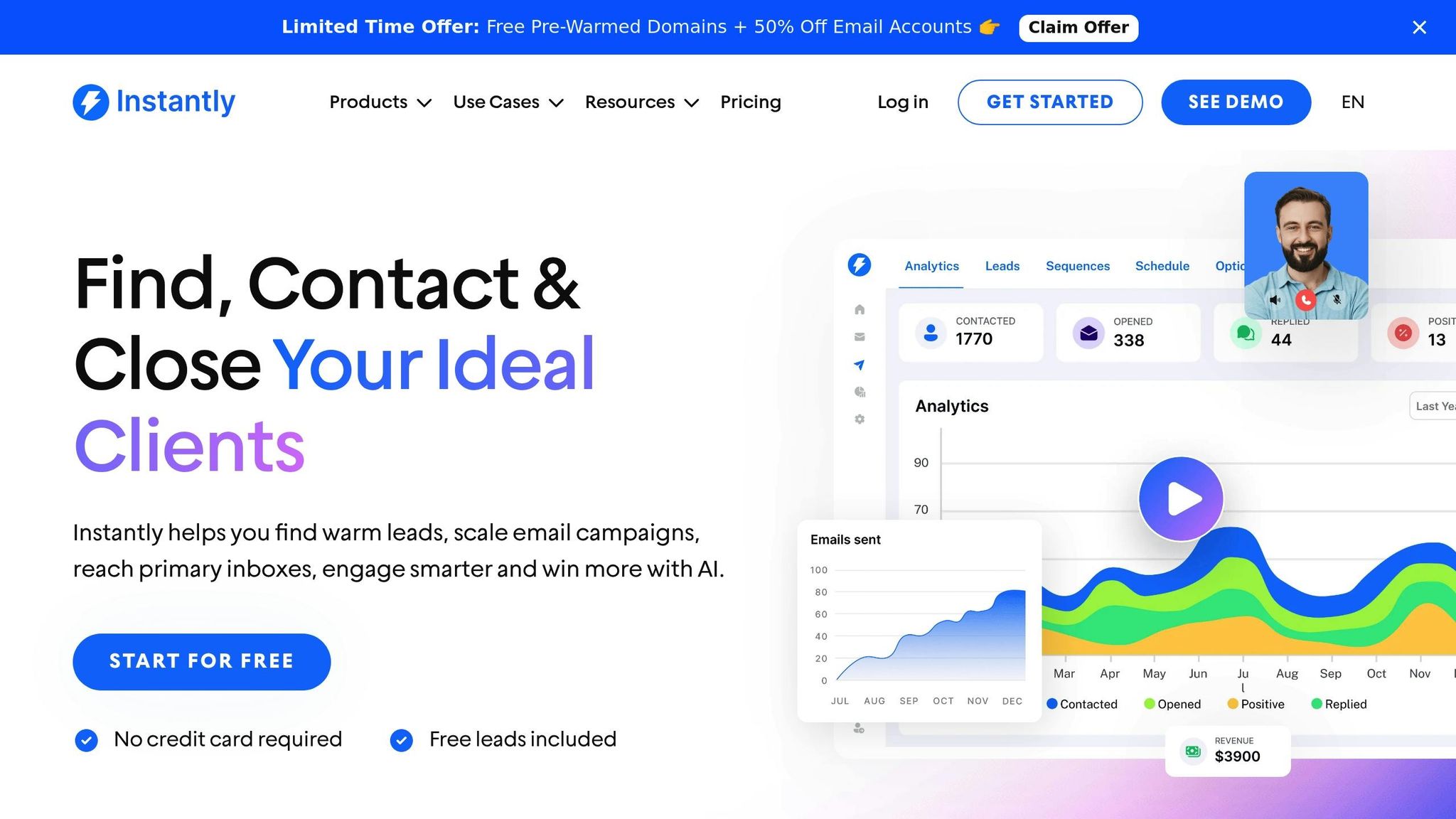
Instantly distinguishes itself from competitors like HubSpot, Pipedrive, and Apollo with its straightforward pricing model and focus on automation.
The platform uses a flat-fee model with unlimited seats, making it an attractive option for cold outreach teams looking to scale without worrying about per-user costs. With a stellar 4.9/5 rating on G2 from over 4,002 reviews, users frequently highlight its emphasis on deliverability and streamlined multi-channel workflows.
Pricing Tiers
Instantly keeps things simple with two flat-rate plans: Growth CRM at $47/month and Hyper CRM at $97/month. Both plans include unlimited seats, and the Growth CRM plan comes with a 14-day free trial. This pricing model ensures affordability for teams of any size. David Taggart, Founder of PDMacro, commented:
"The two best things about Instantly is that it allows you to send at scale, and the team teaches you how to do it".
Automation Capabilities
Instantly's automation features stand out, particularly its AI Reply Agent, which responds to inbound leads in under 5 minutes. This tool operates 24/7 in two modes: "Human-in-the-loop" for manual approval or "Autopilot" for full automation. The Unibox feature consolidates all communications - emails, calls, SMS, and tasks - into a single, centralized interface. To ensure sender reputation remains intact, the platform maintains a warmup network of over 4.2 million accounts. The AI Reply Agent uses a credit-based system, with each reply costing 5 credits.
Scalability Limits
While Instantly offers unlimited seats, its outreach plans come with specific limits. For example, the Hypergrowth plan supports up to 25,000 active contacts and 100,000 monthly email sends. For teams requiring greater capacity, the Light Speed plan is available at $358/month, offering custom limits. Sanjay John Eapen, CEO of Thincture, remarked:
"Instantly excels in ease of use, deliverability optimization, and unrestricted email account additions".
Integration Options
Integration is another strong point for Instantly. It connects seamlessly with Google Calendar, Slack, and Zapier, and offers bidirectional sync with major CRMs. While the platform doesn't have a native mobile app, its responsive web interface allows users to manage pipelines and update deals on the go. These integrations enhance the platform's overall functionality, making it a well-rounded solution for growing teams.
sbb-itb-8aac02d
5. Octopus CRM
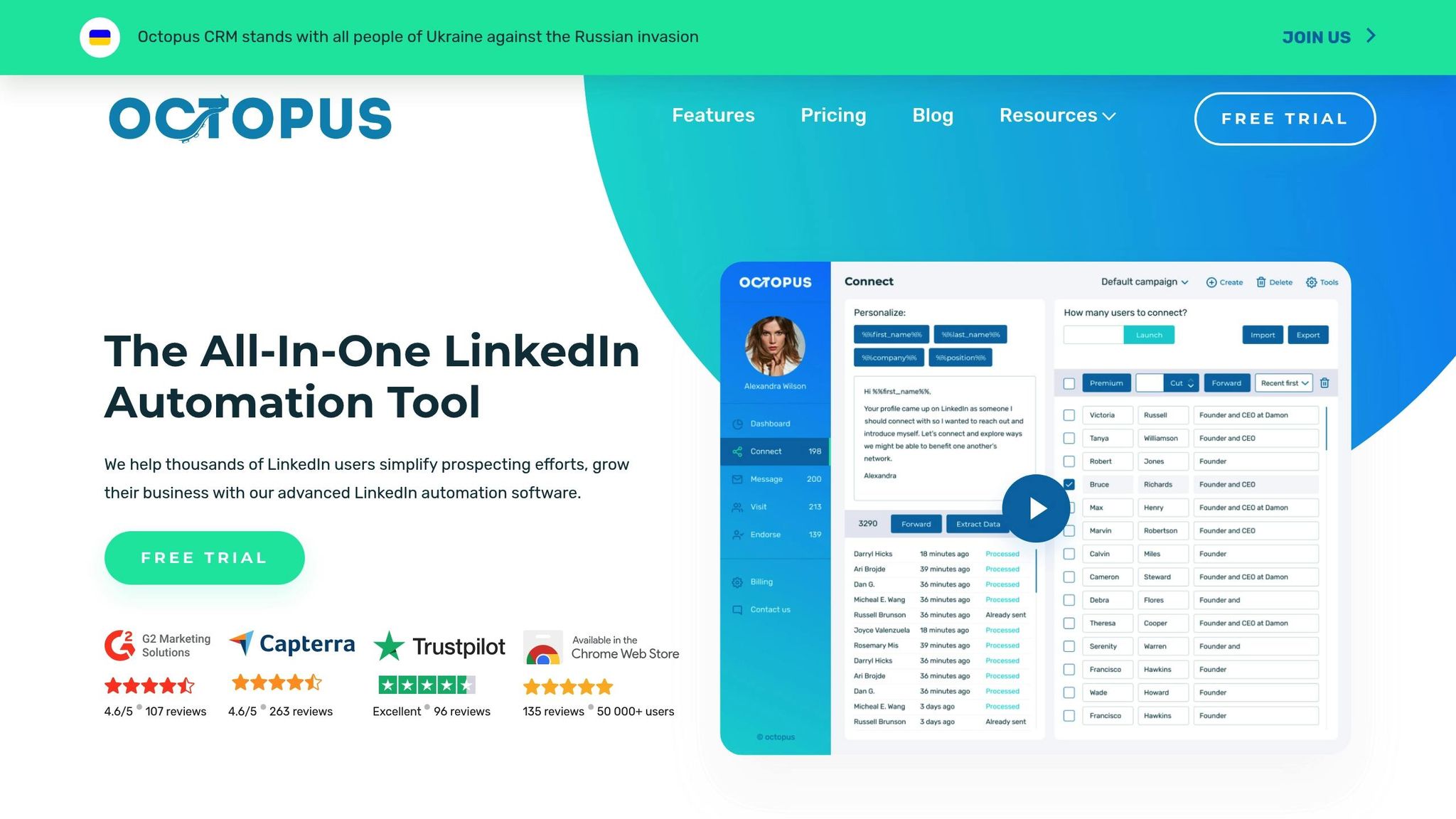
Octopus CRM stands out as a tool built specifically for LinkedIn automation. With over 50,000 global users and an impressive 4.6/5 rating on Capterra (based on 274+ reviews), it’s a favorite among professionals. The platform functions as a Chrome browser extension, meaning your browser needs to stay open for it to work - making it less ideal for round-the-clock operations.
Pricing Tiers
Octopus CRM provides four pricing options:
- Starter: $9.99/month or $6.99/month (billed annually, saving 30%).
- Advanced: $21.99/month or $14.99/month annually. This plan adds campaign creation and lead generation funnels, which are key for multi-step outreach.
- Unlimited: $39.99/month or $24.99/month annually. It includes HubSpot integration, Zapier connectivity, and the ability to bypass LinkedIn's 100 weekly connection request limit by sending invites via email.
- Custom Pricing: Designed for agencies managing 20 or more accounts.
This tool is particularly well-suited for teams relying heavily on LinkedIn for outreach, prioritizing ease of use over complex, multi-platform capabilities.
Automation Capabilities
Octopus CRM simplifies LinkedIn processes by automating tasks such as personalized connection requests, bulk messaging, profile visits, and skill endorsements. Using dynamic placeholders, you can create multi-step funnels with a drag-and-drop interface. Safety features like "Activity Control" and "Smart Delay" emulate human behavior, reducing the risk of account restrictions.
"I've literally added over 100 connections in a single week. Octopus will give me close to 400 opportunities a month to speak to business professionals consistently".
Scalability Limits
While effective for LinkedIn-focused outreach, the platform has its limitations. Its linear automation sequences lack conditional logic, which makes it harder to design nurture campaigns that adapt to prospect behavior. Additionally, its exclusive focus on LinkedIn means teams need separate tools for multichannel campaigns.
Integration Options
The Unlimited plan offers native integration with HubSpot and connects to hundreds of other apps via Zapier, ensuring LinkedIn data syncs seamlessly with your primary CRM. However, the absence of a native mobile app is a notable drawback. This wraps up the core features of Octopus CRM.
6. Dripify
Dripify is a cloud-based LinkedIn automation tool trusted by businesses in over 72 countries. Its cloud-based infrastructure allows campaigns to run seamlessly without requiring an open browser. With features like A/B testing and automated funnel creation, Dripify simplifies LinkedIn outreach. Let’s dive into its pricing options and standout features.
Pricing Tiers
Dripify offers four pricing plans, with discounts for annual billing:
- Basic: $39 per month (annual billing) or $59 monthly. Includes one drip campaign and supports up to 20 connection requests per day.
- Pro: $59 per month (annual billing) or $79 monthly. Offers unlimited campaigns and increases daily connection requests to 75.
- Advanced: $79 per month (annual billing) or $99 monthly. Designed for teams, it includes a centralized control panel for role assignment, performance tracking, sequence sharing, and a "prevent duplicate outreach" feature to avoid contacting the same lead multiple times.
- Enterprise: Custom pricing tailored for larger teams, including a dedicated Customer Success Manager.
For teams with more than two users, the Advanced plan is ideal for streamlined and collaborative outreach.
Automation Capabilities
Dripify automates essential LinkedIn actions like sending connection requests, messages, InMails, profile views, endorsements, and follows. You can build custom funnels with preset delays and test different messaging strategies using A/B testing. Advanced analytics provide insights into key LinkedIn metrics, helping refine your outreach efforts. Additionally, built-in human behavior simulation safeguards your account from being flagged.
"Dripify has helped our team with lead generation through LinkedIn tremendously. It makes it simple to use and it is on autopilot."
– Brian Hartman, Managing Partner at Pharus Global
The Pro and Advanced plans allow for higher daily message limits, with the Advanced tier offering over 100 messages per day. This plan also includes lead tagging to better organize prospects as they move through your sales funnel.
Integration Options
Dripify integrates with platforms via Webhooks and Zapier, starting with the Pro plan. This allows seamless syncing of LinkedIn lead data with your CRM. However, LinkedIn and email sequences cannot run simultaneously within the same campaign.
Mobile App Support
Dripify operates entirely through a web-based interface, with no dedicated mobile app. Its cloud-based system ensures campaigns run automatically, though browser access is required for management tasks.
7. Mails AI
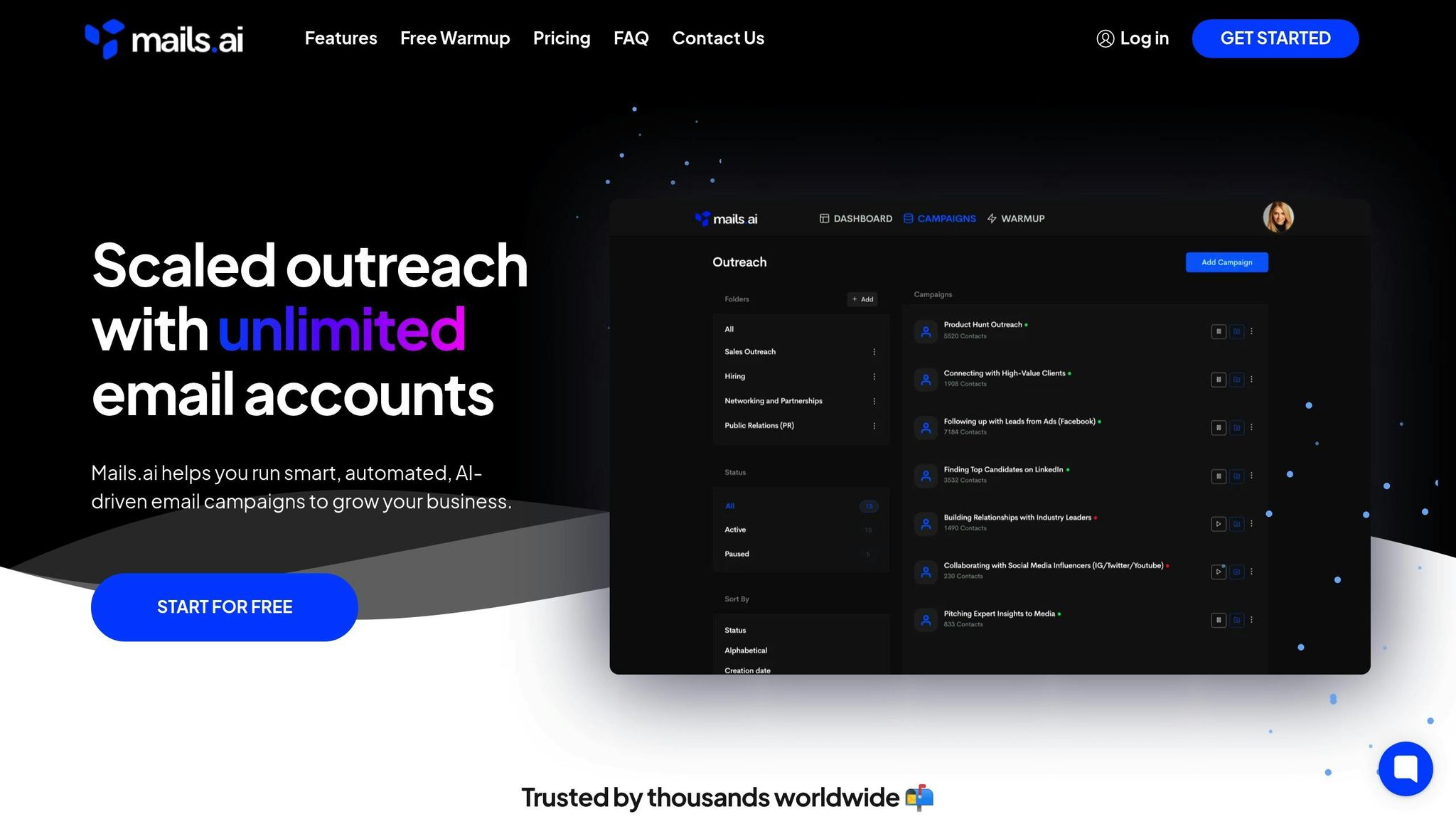
Mails AI wraps up our list as a platform built for scalable email outreach, making it a go-to for teams focused on lead generation. This AI-powered email automation tool is tailored for businesses that need to expand their outreach efforts without seeing a spike in per-user costs. It emphasizes email deliverability and supports high-volume campaigns.
Pricing Tiers
Mails AI offers a Forever Free plan alongside three paid options, with savings of up to 50% on annual billing:
- Startup: $49/month (or $24/month when billed annually). Includes 1,000 active contacts, unlimited email accounts, and unlimited team members.
- Growth: $99/month (or $49/month billed annually). Expands the limit to 5,000 active contacts and adds advanced reporting features.
- Pro: $199/month (or $99/month billed annually). Removes all active contact limits entirely.
All paid plans come with unlimited monthly email sends, ensuring teams can scale their outreach efforts without worrying about unexpected costs.
Automation Capabilities
Mails AI simplifies email outreach with AI-driven tools that handle campaign creation, multi-step follow-ups, advanced scheduling, and email warmup processes. These features help maintain strong deliverability rates and protect sender reputation. The built-in AI email writer crafts personalized content and sequences, cutting down on manual work. Paid plans also include features like Spintax for content variation, custom tracking domains, and reputation management tools.
Scalability Limits
Teams can grow their outreach efforts based on the number of active contacts, starting with 1,000 on the Startup plan and scaling to unlimited on the Pro plan. Mails AI eliminates common bottlenecks by allowing unlimited email accounts and team members across all paid tiers - even the entry-level Startup option. The Free plan, while useful for testing, is limited to Gmail and Google Workspace accounts, making it less suitable for professional-scale operations.
With its focus on scalability and automation, Mails AI provides a solid solution for teams aiming to expand their email outreach efficiently.
Feature Comparison for the Top Starter CRMs
Here's a quick side-by-side breakdown of key features across CRM platforms, focusing on pricing, automation, scalability, integrations, and mobile support.
| CRM Platform | Starting Price (USD) | Automation Capabilities | Scalability Limits | Integration Count | Mobile App Support |
|---|---|---|---|---|---|
| HubSpot | $0 (Free) / $9/month | Email sequences, AI content generation, multi-hub workflows, automated meeting scheduling | Up to 1 million contacts | 2,000 integrations (e.g., WordPress, Shopify, OptinMonster) | iOS & Android |
| Pipedrive | $14/user/month | AI suggestions, visual pipeline management, activity reminders, lead nurturing | Tiered by plan | Zapier, MailChimp | iOS & Android |
| Apollo | $0 (Free) / ~$49–$119 per user/month | Email sequencing, AI prospecting, lead scoring, data enrichment | Tiered by credits & plan | Integrates with major CRMs (Salesforce, HubSpot, etc.) | iOS & Android |
| Instantly | $37–$47/month (Growth plan) | Cold email automation, AI email writer, lead database, warmup automation | VScales by email volume & contacts | Integrations via API & tools | Web-based |
| Octopus CRM | $6.99–$24.99/month | LinkedIn automation, connection campaigns, messaging sequences | Tiered by plan | Limited (LinkedIn-focused) | Web-based |
| Dripify | $39/month | LinkedIn automation, drip campaigns, analytics, team workflows | Tiered by plan | Limited integrations | Web-based |
| Mails AI | Approximately $49/month | AI email automation, sequencing, inbox warmup | Scales by outreach volume | API & email integrations | Web-based |
Automation Depth: HubSpot stands out with AI-powered tools for content creation and workflows spanning marketing, sales, and service teams. On the other hand, Pipedrive focuses on a user-friendly visual pipeline system, ideal for teams shifting from spreadsheets.
Integration Flexibility: HubSpot offers over 300 integration options, making it a strong choice for connecting tools like WordPress, Shopify, and OptinMonster. Pipedrive, while more sales-focused, supports integrations via platforms like Zapier and MailChimp.
For detailed insights into each platform's strengths and limitations, check out the sections above.
Which Starter CRM Is Best for SMBs?
When it comes to choosing the right CRM, the focus should be on how well it fits your team’s workflow - not just how many features it offers. A CRM should do more than collect customer data; it should make your team’s daily tasks easier. The numbers back this up: businesses using an integrated CRM system report generating 3x more leads and closing 94% more deals compared to those relying on scattered spreadsheets and disconnected tools. But these results only happen if your team actively uses the system.
Before committing to a CRM, identify your must-have features - like logging calls, tracking deals, and managing follow-ups - and separate them from extras that might inflate costs unnecessarily. Simplicity is critical.
A CRM that’s intuitive and easy to set up can have your team up and running in as little as 15 to 30 minutes. If a sales rep can’t grasp the basics within 15 minutes, that’s a red flag for unnecessary complexity. Take advantage of free trials to test platforms: import real contact data, simulate follow-ups, and ensure key integrations (e.g., Gmail, Outlook, Slack) work seamlessly.
"Most CRMs look great in demos. The real test? When you're buried in follow-ups on a Monday morning and need the tool to keep up." - CRM.org
Whenever possible, start with free plans. For instance, HubSpot offers a strong free version that can help you validate your workflows and demonstrate value before upgrading. You can create your free CRM account here. For small teams - think 3–5 members or around 10+ active leads - this is often the perfect time to transition from spreadsheets to a dedicated CRM system.
FAQs
When should my team switch from spreadsheets to a CRM?
When spreadsheets begin holding your team back, it’s time to consider switching to a CRM. You might notice warning signs like misplaced customer data, excessive time spent on manual tasks, or difficulty working collaboratively. As your team expands, spreadsheets often become error-prone and fail to provide the automation you need. A CRM solves these issues by centralizing your data, simplifying workflows, and offering better insights. It’s a scalable tool designed to help you manage customers more effectively and support long-term growth.
How do I pick a CRM that my team will actually use?
When selecting a CRM, focus on finding one that fits seamlessly with your team’s workflow and doesn’t overcomplicate things. Look for a system that’s simple to set up and easy for your team to start using right away. Most people only use a small portion of a CRM’s features, so avoid tools overloaded with unnecessary options.
It’s also crucial to choose a CRM that integrates well with the tools your team already relies on. An intuitive interface can make all the difference in encouraging adoption and driving better results for your business.
What should I test during a CRM free trial?
During a CRM free trial, it's important to evaluate the platform's core features to see if it aligns with your business needs. Pay attention to usability - is it intuitive enough for your team to adopt quickly? Test how well it integrates with your workflows, such as deal tracking or automation processes.
Make sure to explore the reporting tools to assess their depth and usefulness. Try importing contacts, managing leads, and customizing pipelines to understand how flexible the system is. Don’t forget to test communication tools like email tracking and live chat to see if they enhance your team's efficiency. This hands-on approach ensures the CRM fits your requirements before making a commitment.
What is a good CRM to start with for growing teams?
A good starter CRM should be easy to set up, affordable, and flexible enough to scale as your team grows. Many businesses begin with tools that offer free plans and essential features like contact management, deal tracking, and basic automation. Platforms like HubSpot, Zoho CRM, and Pipedrive are commonly considered because they balance ease of use with the ability to expand into more advanced features over time.
Can a free CRM support a growing business?
Yes, many free CRMs are designed to support early-stage growth by offering essential tools without upfront costs. They allow teams to organize contacts, track deals, and test workflows before upgrading. Some platforms, such as HubSpot, also provide scalable options that make it easier to transition to more advanced features as your business expands.