Choosing between Pipedrive and HubSpot depends on your business priorities.
- Pipedrive focuses on simplifying sales pipeline management with an intuitive drag-and-drop interface. It’s ideal for small to midsize teams prioritizing deal tracking and affordability. Pricing starts at $12/user/month, and all plans include unlimited pipelines and custom fields.
- HubSpot offers an all-in-one CRM that integrates sales, marketing, and customer service. It’s perfect for businesses needing advanced automation and scalability. While it has a free plan, advanced features start at $450/month (billed annually).
Quick Comparison
| Feature | Pipedrive | HubSpot |
|---|---|---|
| Pipeline Management | Visual drag-and-drop | Customizable pipelines (up to 15) |
| Automation | Basic to moderate (higher tiers) | Advanced, AI-driven workflows |
| Pricing | From $12/user/month | Free plan; advanced plans from $450/month |
| Focus | Sales-centric | Sales, marketing, and service |
Pipedrive is best for sales-focused teams seeking simplicity, while HubSpot suits businesses aiming for integrated CRM solutions. Evaluate your budget, team size, and needs to choose the right fit.
Pipedrive vs HubSpot CRM: Which One Wins in 2025?
Pipedrive Overview
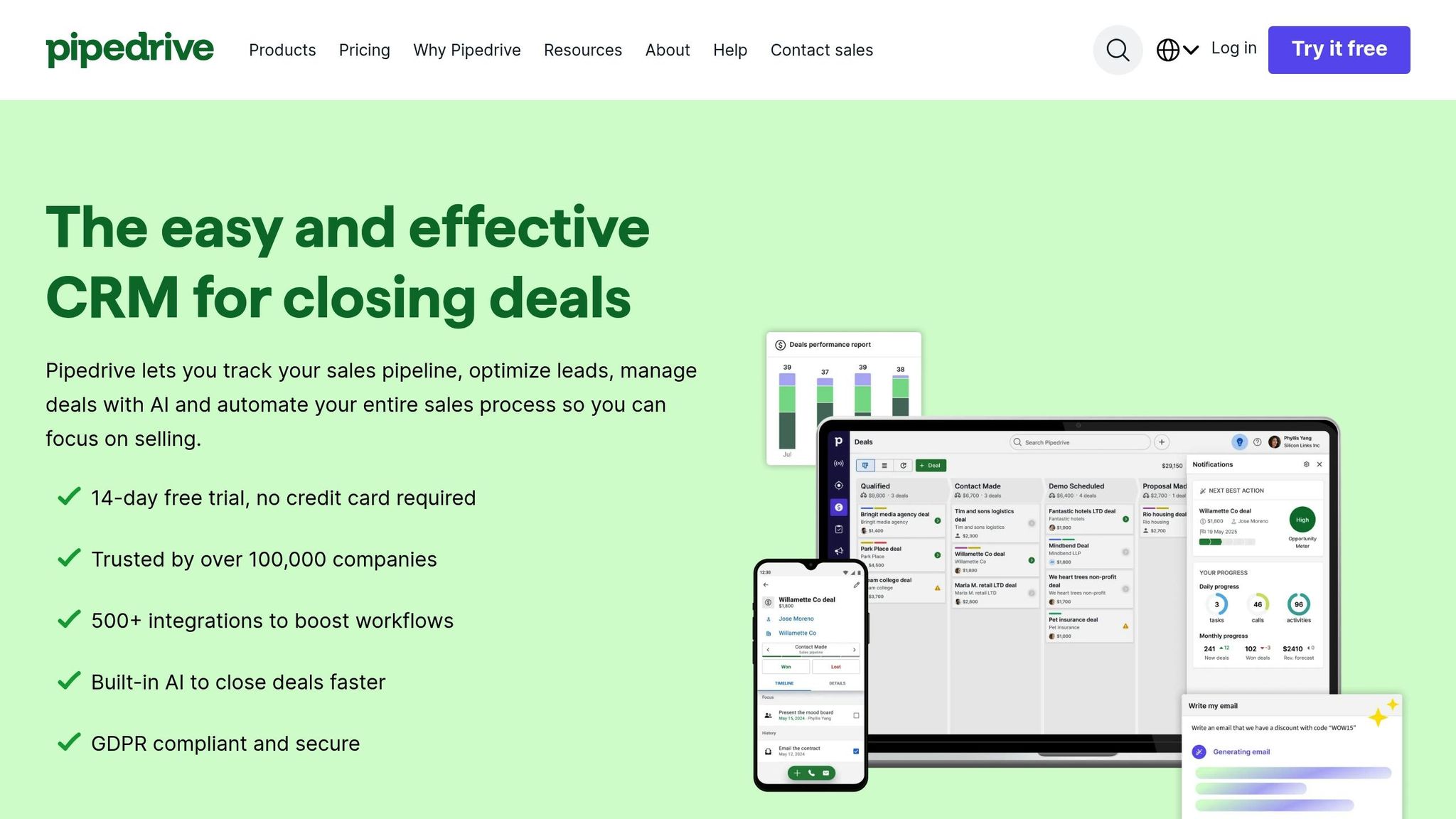
Pipedrive is a sales-focused CRM designed to simplify deal tracking and help sales teams close more deals without getting bogged down by unnecessary complexity. Its intuitive pipeline management system makes it a popular choice for U.S. businesses looking for an effective way to stay organized and focused.
Core Features of Pipedrive
At the heart of Pipedrive is its visual sales pipeline, which uses a drag-and-drop interface to make deal tracking effortless. Each deal is displayed as a card containing essential details like value, contact information, and the next steps. Sales reps can easily move deals between stages, identify bottlenecks, and keep their pipeline organized - all without the need for extensive training or setup.
A standout feature is Pipedrive's unlimited customizable pipelines, available across all plans. This allows businesses to adapt the platform to their specific sales processes rather than trying to fit into a rigid, predefined system.
The CRM also includes a robust lead management system that simplifies handling prospects. Dedicated views allow teams to capture, segment, and prioritize leads effectively. The deal rotting feature is another highlight - it flags stalled opportunities, prompting timely follow-ups to keep deals moving forward. Features like round-robin and territory-based lead assignment ensure fair distribution among team members, while bulk email tools and customizable filters make nurturing leads more efficient.
Pipedrive also integrates with tools for scheduling, invoicing, and contract management, syncing updates automatically to minimize manual data entry.
For those on higher-tier plans, Pipedrive offers an AI-powered sales assistant that provides actionable insights, forecasts outcomes, and recommends the next steps. By analyzing pipeline data, the AI helps teams focus their efforts where it matters most, improving close rates. Plus, mobile apps for Android and iOS ensure that sales teams can manage their pipelines on the go, whether they're in a meeting or traveling.
With these features, Pipedrive balances simplicity with functionality, making it an attractive option for businesses of all sizes.
Pricing Plans and Trial Options
Pipedrive keeps its pricing structure straightforward, offering transparent per-user monthly costs with no hidden fees. Here’s a breakdown:
-
Essential Plan: $12.00/user/month
Includes core CRM features, visual pipeline management, and lead tracking. This plan is ideal for small teams just starting to organize their sales process. -
Advanced Plan: $24.00/user/month
Adds email integration and workflow automation, helping teams streamline repetitive tasks and maintain consistent communication. This tier suits growing businesses that want more efficient lead nurturing. -
Professional Plan: $49.00/user/month
Offers AI tools, proposal management, and advanced analytics, providing managers with deeper insights into team performance and pipeline health. -
Enterprise Plan: $79.00/user/month
Includes the full feature set, advanced customization options, and priority support. Businesses spending over $1,000 monthly may also receive free expert implementation for a smooth onboarding experience.
| Plan | Monthly Cost | Key Features |
|---|---|---|
| Essential | $12.00/user | Core CRM, visual pipelines, lead management |
| Advanced | $24.00/user | Email integration, workflow automation |
| Professional | $49.00/user | AI tools, proposal management, advanced analytics |
| Enterprise | $79.00/user | Full customization, priority support |
Unlike platforms like HubSpot, which offer a permanent free plan, Pipedrive provides a 14-day free trial with full access to all features - no credit card required. This trial gives sales teams the opportunity to explore its visual pipeline system and see if it aligns with their needs. With unlimited pipelines and custom fields included in every plan, Pipedrive is a practical choice for small and midsize businesses seeking powerful tools without the complexity or cost of enterprise-level solutions.
HubSpot Overview
HubSpot positions itself as more than just a sales-focused CRM - it's a complete customer platform. While tools like Pipedrive specialize in simplifying the sales pipeline, HubSpot takes deal tracking to the next level by seamlessly linking marketing, sales, and customer service. This interconnected approach gives businesses a full view of customer interactions, making it easier to understand and manage relationships at every stage.
The platform’s deal tracking features are built on the belief that sales success comes from understanding the entire customer journey. Each deal is enriched with context, such as website visits, email exchanges, and support tickets, offering a comprehensive view of its progress. This helps sales teams not only see where a deal stands but also identify the factors shaping its trajectory.
HubSpot’s real strength lies in how it eliminates the fragmentation often caused by using separate tools. Leads generated from marketing campaigns flow directly into the sales pipeline. Once a deal is closed, customer information is automatically shared with the service team. This streamlined data flow ensures everyone is on the same page, reducing inefficiencies and improving collaboration.
Key Features of HubSpot
HubSpot’s integrated design is complemented by a wide range of customizable tools that help businesses manage and automate their sales processes effectively.
- Customizable Pipelines: HubSpot allows users to create up to 15 pipelines on Professional plans, each tailored to specific needs like product lines, regions, or sales strategies. Pipelines can feature custom stages, and deals can advance either manually or through automated workflows.
- Centralized Dashboard: This dashboard provides real-time insights into sales performance across all pipelines. Key metrics like deal velocity, conversion rates, and revenue forecasts are easily accessible, along with team activity highlights to identify bottlenecks or standout performers.
- Automation Capabilities: HubSpot automates repetitive tasks, such as moving deals forward based on specific actions, sending follow-up emails after meetings, or triggering workflows when deals reach certain milestones.
- Integrated Communication System: Emails, calls, meetings, and even website visits are logged into a single timeline, offering immediate context. This integration extends to marketing efforts, enabling teams to track which campaigns influenced a prospect’s journey.
- Advanced Analytics and Reporting: HubSpot offers detailed insights through features like attribution reporting, which identifies the marketing channels driving the most valuable deals. Custom dashboards and automated report delivery keep stakeholders informed without extra effort.
- Lead Scoring: By analyzing both demographic and behavioral data - like email engagement and website activity - HubSpot prioritizes leads based on their likelihood to convert. This ensures sales teams focus on the most promising opportunities while nurturing others through automated workflows.
- Duplicate Management: The platform automatically identifies and merges duplicate contacts, maintaining clean and accurate data as businesses scale.
Pricing and Free Plan Details
HubSpot’s pricing structure is designed to scale with a business's needs, offering options from a free plan to enterprise-level solutions. Here’s a breakdown:
Free Plan: $0/month
Includes basic deal tracking, contact management, email scheduling, and simple reporting for up to two users. It’s ideal for startups or small teams looking to organize their sales process without incurring costs.
Starter Plan: $15/user/month
Adds essential tools like email templates and basic automation, making it suitable for small businesses ready to implement structured sales processes.
Professional Plan: $450/month (billed annually)
This tier introduces advanced features such as custom reporting, 15 pipelines, and 1,000 custom properties. It also includes attribution reporting and detailed analytics, making it a strong choice for growing companies.
Enterprise Plan: $1,200/month (billed annually)
Designed for large organizations, this plan offers unlimited custom properties, enhanced reporting, and advanced security features to accommodate complex sales processes.
| Plan | Monthly Cost | Key Features | Best For |
|---|---|---|---|
| Free | $0 | Basic CRM, 2 users, simple pipelines | Startups, very small teams |
| Starter | $15/user | Email tools, basic automation | Small businesses |
| Professional | $450/month | Advanced automation, 15 pipelines, custom reporting | Growing companies |
| Enterprise | $1,200/month | Unlimited properties, advanced security | Large organizations |
Onboarding Fees
For the Professional and Enterprise plans, onboarding fees typically range from $500 to $3,000, depending on the complexity of the business. These fees cover implementation support and training, which can be essential for teams new to HubSpot’s extensive feature set.
HubSpot’s pricing reflects its versatility, offering a free entry point for smaller teams and scaling up to meet the demands of larger organizations. For U.S. businesses, the real question is whether the platform’s integrated marketing and service capabilities justify the cost compared to more specialized tools. Many companies find that using HubSpot across multiple departments delivers better overall value.
Deal Tracking Features Comparison
Pipedrive and HubSpot both provide robust deal tracking tools, but they take different approaches tailored to varying business needs in the U.S.
The core distinction lies in their focus. Pipedrive zeroes in on sales pipeline management, offering a straightforward, visual drag-and-drop interface. On the other hand, HubSpot incorporates deal tracking into a larger CRM platform, emphasizing automation and cross-department connectivity.
Feature-by-Feature Comparison
Here’s a breakdown of how Pipedrive and HubSpot stack up in key deal tracking features, with pricing tailored for the U.S. market:
| Feature | Pipedrive | HubSpot |
|---|---|---|
| Pipeline Visualization | Intuitive drag-and-drop interface | Customizable but less intuitive for sales-only use |
| Pipeline Limits | Unlimited across all plans | 1–15 pipelines, depending on the plan |
| Custom Fields | Unlimited | Up to 1,000, depending on the plan |
| Automation | Basic to moderate (higher-tier plans) | Advanced, AI-driven workflows |
| Reporting Dashboards | Unlimited on all plans | Limited on free/Starter; advanced on higher tiers |
| Meeting Scheduling | Available via third-party tools like Calendly | Built-in native scheduler |
| QuickBooks Integration | Through marketplace integrations | Native integration |
| Deal Alerts | Includes "deal rotting" to flag stalled deals | Standard notifications for pipeline activity |
| Proposal Generation | Simplified tools for proposals | Basic functionality |
| Starting Price | $12/user per month | Free plan or $18/month minimum |
| AI Features | Available on higher-tier plans (starting at $49/user per month) | Included in higher tiers |
Pipedrive stands out with its visually engaging pipeline and unlimited pipeline capabilities across all plans, making it a favorite for sales-focused teams. HubSpot, while offering a customizable pipeline, leans toward integrating sales with marketing and customer service, which can feel more complex for those focused solely on deal tracking.
HubSpot’s automation is a major strength, with tools that trigger tasks, follow-ups, and lead scoring based on deal stages and customer behavior. In contrast, Pipedrive’s automation focuses on essential sales functions like follow-up reminders and basic triggers, lacking the advanced AI capabilities of HubSpot.
Both platforms integrate well with essential U.S. business tools like QuickBooks. HubSpot’s built-in meeting scheduler simplifies appointment booking, whereas Pipedrive relies on third-party integrations for similar functionality. Additionally, Pipedrive offers unlimited dashboards tailored for sales, while HubSpot’s advanced analytics are reserved for higher-tier plans, providing a broader view of marketing and sales performance.
Strengths and Weaknesses
Pipedrive shines in its simplicity and sales-focused design. Its drag-and-drop pipeline, "deal rotting" alerts, and easy-to-use proposal tools make it a practical choice for teams prioritizing deal management. However, its limited automation and lack of deep marketing integration might not meet the needs of businesses seeking a more comprehensive solution.
HubSpot, on the other hand, thrives as an all-in-one CRM. Its advanced automation, seamless integration across departments, and powerful analytics cater to businesses aiming for a unified platform. That said, its complexity and higher costs on advanced plans may be a drawback for teams that only need basic deal tracking.
For U.S. businesses, the choice often comes down to priorities. Pipedrive offers a fast, user-friendly solution for sales teams needing immediate results, while HubSpot provides a scalable platform for companies looking to unify sales, marketing, and customer service under one roof.
sbb-itb-8aac02d
Pricing and Value for U.S. Businesses
When it comes to choosing between Pipedrive and HubSpot, pricing plays a major role, especially for U.S. businesses that need to balance costs with features. These two platforms take very different approaches to pricing, which can significantly influence overall expenses depending on the size and needs of your business.
HubSpot offers a free CRM that works well for very small teams, covering basic contact management, deal tracking, and limited reporting. However, costs climb quickly as soon as more advanced features are required. On the other hand, Pipedrive skips the free option entirely, instead providing a 14-day free trial before requiring a paid subscription. After the trial, Pipedrive’s Essential plan starts at around $14–$24 per user per month.
The difference in pricing becomes even more noticeable as businesses grow:
| Business Size | Pipedrive Option | Monthly Cost (USD) | HubSpot Option | Monthly Cost (USD) |
|---|---|---|---|---|
| Small Teams (1-5 users) | Essential Plan | ~$70–$120 (for 5 users) | Free CRM or Starter* | Free; Starter: ~$36–$90† |
| Midsize Companies (10-20 users) | Advanced/Professional | ~$240–$1,280 (for 10–20 users) | Professional Sales Hub | ~$900–$1,800 |
| Large Enterprises (50+ users) | Professional/Enterprise | ~$2,450–$3,950 (for 50 users) | Enterprise Sales Hub | $1,500+ (scales with team size) |
*HubSpot's Starter plan requires at least two users, starting at around $36/month for two users.
†For example, a five-user team on the Starter plan might cost approximately $90/month.
For small teams, Pipedrive’s straightforward per-user pricing makes budgeting easy. Even at its lower tiers, Pipedrive includes features like unlimited pipelines, custom fields, and robust reporting. HubSpot, while free at the start, can quickly become expensive as you scale up and require advanced tools. Additionally, HubSpot’s paid plans have minimum user requirements, which could push costs higher.
For larger businesses, the pricing gap widens further. Pipedrive’s Enterprise plan, at about $79 per user per month, remains relatively affordable even for large teams. HubSpot’s Enterprise tier, however, starts at $150 per user per month with a 10-user minimum, making it a pricier option as your team grows.
It’s also important to consider additional costs. HubSpot charges onboarding fees for its Professional and Enterprise plans, ranging from $500 to $3,000. While both platforms offer integrations and add-ons, HubSpot’s modular pricing can lead to higher expenses as you add features like advanced reporting or marketing automation. Pipedrive generally keeps its add-ons more budget-friendly, though some advanced capabilities might require third-party tools that come with their own fees.
The right choice comes down to what your business needs. Pipedrive is a great fit for sales-driven teams that prioritize visual pipeline management and simple deal tracking without the complexity of marketing automation. HubSpot, while more expensive, offers a fully integrated solution that combines marketing, sales, and customer service automation - ideal for businesses that need all-in-one functionality.
For U.S. businesses weighing these options, resources like Sales, Leads & CRM provide detailed comparisons and user reviews to help you decide whether the extra features in higher-tier plans are worth the added cost for your specific goals.
Ultimately, aligning your requirements with the pricing structure of each platform is critical. Many small businesses start with HubSpot’s free CRM or Pipedrive’s Essential plan, upgrading only as their needs grow. Keep in mind that HubSpot’s minimum user thresholds and annual contracts may limit flexibility, while Pipedrive’s month-to-month plans offer more budget control.
Best Fit by Business Size and Use Case
After comparing pricing and features, here's a breakdown of which platform works best based on business size and specific needs.
Startups and Small Businesses
Pipedrive is a great choice for startups and small businesses, especially those with teams of 1–10 people. Its simple, intuitive design allows teams to hit the ground running without needing extensive training or a complicated setup process.
The Essential plan, priced at $12 per user per month, includes unlimited pipelines and visual tracking, making it a budget-friendly option for smaller teams. Plus, there are no minimum user requirements, and the month-to-month billing model ensures flexibility. This means you won’t be stuck paying for unused seats or locked into long-term contracts that strain cash flow.
In contrast, HubSpot’s free plan often requires upgrades to unlock key features like automation and custom reporting. For professionals like real estate agents, consultants, or small B2B service providers, Pipedrive’s straightforward approach to prospect tracking is a better fit, avoiding unnecessary complexity.
Midsize Companies
For midsize companies with 20–100 employees, the needs shift toward more advanced automation, enhanced reporting, and better integration between sales and marketing efforts.
HubSpot shines for businesses with dedicated marketing teams, offering an all-in-one platform that integrates content management and lead nurturing. This is especially useful for companies heavily focused on inbound marketing. While HubSpot’s higher costs might be a consideration, the value it brings to marketing-heavy operations often justifies the investment.
On the other hand, Pipedrive remains a strong contender for midsize companies that prioritize sales. Its specialized tools and lower price point make it a practical choice for sales-driven organizations without the need for extensive marketing features.
Ultimately, the decision hinges on your marketing strategy. If inbound marketing and lead nurturing are central to your operations, HubSpot’s integrated tools can be a game-changer. For sales-focused businesses, Pipedrive delivers results without the extra expense.
Large Enterprises
When it comes to large enterprises with 100+ employees, the stakes are higher. These organizations typically require advanced security, complex automation, and seamless integration across multiple departments.
For such companies, HubSpot often takes the lead. Its enterprise-grade features include detailed permission controls, robust security measures, and workflows capable of handling intricate, multi-departmental processes. These capabilities make it a better fit for large organizations with diverse and complex needs.
While Pipedrive is scalable, it relies heavily on third-party integrations to meet the demands of larger enterprises. Its automation tools, though effective, may not be sufficient for managing multi-stage sales processes involving numerous stakeholders.
To dive deeper into these platforms and see how they perform in real-world scenarios, visit the resource directory Sales, Leads & CRM. It offers user reviews and insights to help you make an informed decision beyond just comparing features.
Resource Directory Note
Having access to clear, unbiased information is essential when deciding between Pipedrive and HubSpot. Sales, Leads & CRM acts as a curated resource directory, helping U.S. businesses navigate the CRM landscape by offering detailed listings for both platforms, along with other top-tier solutions.
The directory describes Pipedrive as a streamlined CRM ideal for deal tracking, while HubSpot is presented as an all-in-one platform combining sales, marketing, and service tools. It provides practical decision-making support through side-by-side comparisons, pricing tailored for U.S. businesses, and guides for integrating widely used tools like QuickBooks, Slack, and Gmail.
Additionally, it includes expert insights and user reviews on key aspects such as ease of use, customer support, integrations, and deal tracking capabilities. These user perspectives add depth to the broader analysis, offering a glimpse into real-world experiences.
The directory also explores complementary tools like Apollo for lead generation, Mails AI for email campaigns, and Octopus CRM for LinkedIn automation. This well-rounded approach helps businesses see how their chosen CRM can integrate seamlessly into their overall sales and marketing tech stack.
Regular newsletter updates and recent surveys reveal that many U.S. businesses rely on directories like this for making informed CRM decisions.
Moreover, the platform invites user participation, encouraging businesses to suggest new tools and share their experiences. This community-driven model ensures the directory stays up-to-date with the fast-changing CRM landscape, making it an ongoing resource rather than a one-time comparison tool. By combining feature comparisons with practical usability insights, it serves as a bridge between technical specs and real-world needs.
Conclusion
Deciding between Pipedrive and HubSpot comes down to your business's unique priorities and current growth stage. Pipedrive is an excellent fit for teams seeking a straightforward, sales-focused solution at a competitive per-user price. On the other hand, HubSpot offers a more comprehensive platform that integrates sales, marketing, and customer service - but at a higher cost due to its advanced features.
For small businesses, Pipedrive's simplicity and affordability make it a practical choice for managing sales pipelines effectively. Midsize companies face a crossroads: those prioritizing sales-specific tools might lean toward Pipedrive, while businesses aiming to unify sales and marketing efforts may find HubSpot's all-in-one platform more appealing. Large enterprises often gravitate toward HubSpot for its robust automation capabilities and scalability, though its higher price tag requires thoughtful budget consideration.
Ultimately, the choice hinges on how well each platform aligns with your business's goals and operational needs.
FAQs
What sets Pipedrive and HubSpot apart in terms of deal tracking and automation?
Pipedrive and HubSpot both bring strong deal tracking and automation tools to the table, but they serve different types of businesses and priorities.
Pipedrive is all about keeping things simple. It's a great fit for small to medium-sized businesses that want an easy-to-use system to manage their sales pipeline. With features like visual deal tracking, customizable pipelines, and automation for routine tasks like follow-ups, it helps teams stay organized without unnecessary complexity. Plus, its pricing is often easier on the budget, which is a big win for smaller teams.
HubSpot, in contrast, offers a much broader range of tools. It’s designed to work for businesses of all sizes and integrates deal tracking into its extensive CRM platform. Beyond sales, it provides advanced automation, detailed reporting, and even marketing tools. While it does come with a higher price tag, its scalability and all-in-one design make it a strong choice for businesses planning to expand and needing more than just basic deal management.
How do Pipedrive and HubSpot compare in pricing, and what factors should small businesses consider when deciding between them?
Pipedrive and HubSpot cater to different business needs with their pricing models. Pipedrive keeps things simple with tiered plans starting at approximately $14.90 per user/month. Its focus on affordability and ease of use makes it a solid choice for small businesses that primarily need a tool to manage their sales pipeline.
HubSpot, in contrast, offers a wider array of tools. It includes free options and premium plans that start at $50/month, but costs can rise significantly based on the features you add. This makes it more suitable for businesses looking for a full suite of CRM, marketing, and customer service tools.
Deciding between the two comes down to your business priorities. If keeping costs low while managing a straightforward sales process is key, Pipedrive could be the way to go. But if you need a robust, all-in-one platform, HubSpot's extensive features might be worth the investment. Be sure to weigh your budget, team size, and the specific features you need before making a choice.
Why might HubSpot be a better choice for businesses looking to integrate sales, marketing, and customer service, even if it costs more?
HubSpot is a strong choice for businesses looking to bring sales, marketing, and customer service together under one roof. With its all-in-one platform, it simplifies daily operations by combining tools for lead generation, email marketing, sales automation, and customer support - all in a single, cohesive system.
Though its pricing may lean on the higher side, the platform’s extensive features and ability to grow with your business can justify the cost. By uniting teams and offering actionable insights, HubSpot equips companies to streamline their processes and achieve sustainable growth over time.