Looking for the best mobile CRM for deal tracking? Both Pipedrive and HubSpot offer mobile apps designed to help sales teams manage pipelines efficiently. Here’s a quick breakdown:
- Pipedrive focuses on simplicity with a visual drag-and-drop pipeline, task reminders, and offline sync. It’s ideal for fast updates and on-the-go deal management. Pricing starts at $14/user/month.
- HubSpot provides advanced tools like detailed customer timelines, dual deal views (Kanban & list), and customizable notifications. It’s great for teams needing deeper insights. Free CRM available; paid plans start at ~$20/user/month.
Key Differences:
- Pipedrive suits teams prioritizing speed and ease.
- HubSpot excels for teams needing integrated sales and marketing data.
Choose Pipedrive for straightforward sales workflows or HubSpot for a more feature-rich, connected experience.
Pipedrive vs HubSpot CRM: Which One Wins in 2025?
How Mobile Deal Tracking Works in CRMs
Mobile deal tracking makes it possible for sales reps to manage their entire pipeline directly from their phones. Both Pipedrive and HubSpot offer visual pipelines that organize deals by stage - whether it’s “Initial Contact,” “Proposal Sent,” or “Negotiation.” Deals are displayed as cards showing essential details like the contact’s name, deal value, expected close date, and recent activity. With just a swipe, reps can drag and drop deals between stages, making updates quick and effortless. This user-friendly design lays the groundwork for the powerful tools discussed below.
Core Mobile Deal Tracking Features
Two standout features of mobile deal tracking are activity logging and real-time notifications. Reps can log calls, meetings, or notes instantly using shortcuts or voice-to-text, ensuring critical details are captured on the spot instead of being delayed until they return to their desks. For example, HubSpot’s mobile CRM automatically logs communications in the deal timeline, including website visits and form submissions tied to a contact. On the other hand, Pipedrive focuses on a streamlined, task-oriented timeline that highlights completed actions and upcoming tasks.
Push notifications keep reps informed as events unfold. Alerts can be set for key updates - like when a deal enters an important stage, a task deadline is approaching, or a contact opens a crucial email. Both platforms also support offline sync, allowing reps to update pipelines and log activities without an internet connection. Once reconnected, all changes are synced automatically, which is especially useful for salespeople working in the field.
Benefits of Mobile Deal Tracking
These features translate into measurable improvements for sales teams. For example, CRMs have been shown to boost sales by up to 29%, increase productivity by 34%, and improve forecast accuracy by 42%. Mobile access takes these benefits even further - helping reps stay on top of tasks, follow up promptly, and ensure no opportunities are missed, even when they’re away from their desks. In fact, nearly 50% of CRM access now happens on mobile devices, underscoring the growing reliance on smartphones in sales.
The ability to log notes offline is another game-changer. Reps can jot down insights immediately after a client meeting, without worrying about connectivity issues. Notifications that prompt follow-up tasks as deals progress help teams close deals more efficiently. For managers, mobile deal tracking provides real-time visibility into pipeline changes, enabling them to guide reps and adjust forecasts while working remotely or on the go.
Pipedrive Mobile Deal Tracking
Mobile Interface and Usability
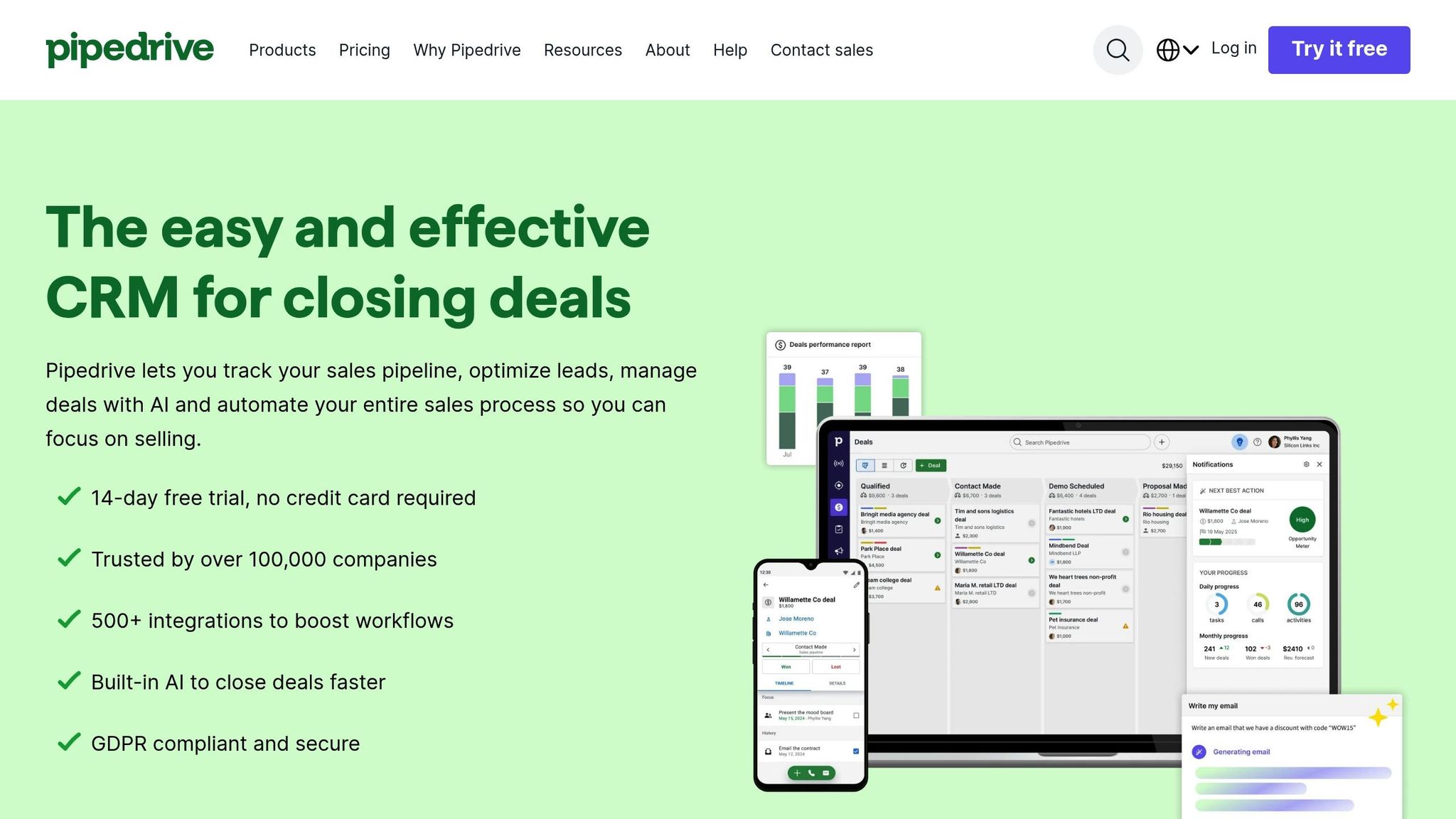
Pipedrive’s mobile app is designed with simplicity and efficiency in mind, focusing on the activities that matter most to sales teams. Deals are displayed as cards in a visual pipeline, organized by stage. Each card provides key details at a glance - like contact names, deal values (in USD), and the next scheduled activity. Need to update a deal? Just swipe and drag it to the appropriate stage. This no-fuss setup keeps things clean and functional, cutting out unnecessary menus and distractions.
The app has earned top ratings on both iOS and Android, thanks to its user-friendly design and speed. Unlike many CRM platforms that cram every feature into their mobile versions, Pipedrive sticks to the essentials. This makes it easy for sales reps to manage deals and tasks on the go without feeling overwhelmed.
Deal Updates and Activity Tracking
Updating and managing deals on Pipedrive’s app is as straightforward as it gets. You can add new deals directly from your phone, entering important details like deal value, expected close date, and contact information. The app also features a task timeline that highlights both completed actions and upcoming tasks, ensuring reps stay on top of their priorities. Whether it’s logging an activity through shortcuts or using voice-to-text, everything is instantly saved in the deal record.
To keep deals moving forward, the app offers push notifications for reminders. For example, if you set a follow-up call, the app will notify you at the right time - even if you’re in the middle of a busy day packed with meetings. This feature helps reps maintain momentum and stay organized, no matter how hectic things get.
Pricing and Integrations
Pipedrive’s pricing starts at $14 per user/month (billed annually), which includes full access to the mobile app. Higher-tier plans come with added perks like automation and advanced reporting, but even the basic plan provides essentials like the visual pipeline, activity tracking, and notifications.
The app also integrates seamlessly with popular tools like email clients, calendars, and communication platforms. This allows reps to sync their data across multiple apps without constantly switching between them, making it easier to manage workflows on the go.
For those considering mobile CRM options, Sales, Leads & CRM (https://sales-leads-crm.com) highlights Pipedrive as a top choice for managing sales pipelines, offering a quick way to compare it with other solutions.
sbb-itb-8aac02d
HubSpot Mobile Deal Tracking
While Pipedrive leans toward simplicity, HubSpot stands out with its adaptable views and advanced notifications, catering to a wide range of sales workflows.
Mobile Interface and Deal Views
HubSpot's mobile app provides two intuitive ways to view deals: a Kanban board and a sortable list view. The Kanban board displays deals as cards organized by pipeline stage, showing essential details like deal amount (in USD), expected close date, owner, and next activity. You can tap any card to dive into the specifics or update its stage with ease.
The list view offers flexibility, allowing users to sort and filter deals by criteria such as close date, value, pipeline, or stage. This feature helps sales reps prioritize follow-ups by focusing on high-value deals or those nearing their close dates. Both views come with built-in search tools and quick actions, like logging a call or creating a task directly from the deal screen. Additionally, the app’s chronological timeline compiles every interaction - emails, calls, meetings, notes, and even website visits - giving you all the context you need before reaching out to a prospect.
Activity Logging and Notifications
HubSpot simplifies activity tracking by logging calls straight from the app, automatically capturing details like call duration and outcomes. Afterward, you can add notes using voice-to-text or typing. Beyond calls, the app enables you to send tracked emails, schedule meetings, and jot down notes linked to specific deals, contacts, or companies.
Notifications are customizable, so you can focus on what’s most relevant to your role. For instance, you can set alerts for deals above a certain value or reminders for tasks due on a particular day. The app also consolidates all your tasks into a single mobile-friendly list, making it easy to stay on top of follow-ups while on the go.
Pricing and Advanced Features
HubSpot offers several pricing tiers, each with varying levels of mobile functionality:
- Free CRM: Includes complete mobile deal tracking and activity logging.
- Sales Hub Starter: ~$20–$30 USD per user/month, adding features like basic automation and email scheduling.
- Sales Hub Professional: ~$90–$100 USD per user/month, offering advanced sequences and custom reporting.
- Sales Hub Enterprise: $150+ USD per user/month, with tools like custom objects and enterprise-level reporting.
Every tier grants unlimited mobile access, but higher plans unlock richer data insights and more sophisticated automation tools for managing deals on the go. This tiered approach makes HubSpot a strong contender for businesses seeking robust mobile CRM capabilities.
For those evaluating mobile CRM platforms, Sales, Leads & CRM highlights HubSpot as a powerful option for driving business growth.
Pipedrive vs. HubSpot: Mobile Deal Tracking Comparison

Pipedrive vs HubSpot Mobile CRM Comparison Chart
Mobile User Experience
When it comes to mobile apps, Pipedrive and HubSpot take noticeably different approaches to deal tracking. Pipedrive focuses on simplicity, offering a clean, activity-based selling experience. In contrast, HubSpot provides more detailed customer timelines and multiple viewing options, making it ideal for teams that want a full picture of customer interactions before making a move.
| Feature | Pipedrive | HubSpot |
|---|---|---|
| Visual Pipeline | Single Kanban view with drag-and-drop simplicity | Dual views (Kanban + sortable list) with filtering options |
| Deal Updates | Quick updates with minimal taps | May require navigating through multiple screens |
| Contact Context | Focus on sales activities and notes | Comprehensive timeline of customer interactions |
| Ideal For | Field teams needing fast, on-the-go updates | Teams that benefit from detailed customer histories |
Automation and Intelligence on Mobile
Automation plays a key role in both apps, but the focus varies. Pipedrive’s mobile app prioritizes essential sales workflows with features like automated task reminders and notifications, ensuring reps stay on top of follow-ups and deal stage changes. HubSpot, on the other hand, integrates a wider range of customer data into its alerts, enabling a more informed, data-driven approach to sales.
| Feature | Pipedrive | HubSpot |
|---|---|---|
| Deal Alerts | Basic notifications for key stage changes | Alerts based on broader customer interactions |
| Automation Focus | Task-driven reminders for sales activities | Insights combining sales and marketing data |
| User Approach | Perfect for quick, task-oriented updates | Ideal for reps needing detailed customer context |
Pricing and Scalability
Pricing is another area where these platforms diverge. Pipedrive offers straightforward pricing that aligns with its streamlined mobile workflows. Core features for mobile deal tracking are available across all tiers, with advanced automation and reporting unlocked in higher plans.
HubSpot, by contrast, starts with a free CRM that includes robust mobile deal tracking, making it a strong choice for startups or small teams. However, teams looking for advanced features, like deeper automation and integrated insights, will need to upgrade to higher-tier plans. For fast, sales-focused updates, Pipedrive offers a cost-effective solution. Meanwhile, HubSpot's integrated platform appeals to teams that need to connect sales, marketing, and customer service.
Both platforms allow users to test their mobile experience - Pipedrive offers a free trial, while HubSpot’s free plan provides unlimited evaluation time.
For more insights on these tools, visit Sales, Leads & CRM, which highlights both as top options for mobile sales teams.
Conclusion: Choosing the Right Mobile CRM
Key Takeaways
Pipedrive and HubSpot stand out in mobile deal tracking, each catering to different sales approaches. Pipedrive shines with its intuitive drag-and-drop interface, making deal updates quick and hassle-free. It’s a great choice for teams that prioritize speed and simplicity over diving deep into extensive customer data. On the other hand, HubSpot offers a comprehensive view of the customer journey, combining marketing history, customer interactions, and advanced automation. This makes it perfect for teams that need detailed context before reaching out to prospects. As we’ve seen, the distinction lies in how each tool handles real-time updates and task management.
For small, sales-focused teams, Pipedrive’s straightforward and affordable solution is a strong contender. Its lower starting price and inclusion of essential mobile features across all tiers make it accessible without overwhelming users with complex workflows. Meanwhile, HubSpot’s free CRM is an attractive option for startups on a budget. But if your team requires tight integration between sales and marketing or is preparing for rapid scaling, HubSpot’s all-in-one platform is the better fit.
HubSpot thrives in multi-touchpoint sales processes. When deals involve collaboration across sales, marketing, and customer service, HubSpot’s mobile app ensures everyone stays on the same page with access to deeper insights and advanced workflows. Conversely, Pipedrive is ideal for sales-only teams focused on fast updates and task-driven selling, without the need for integrated intelligence. This comparison is just one step in helping you refine your mobile CRM strategy.
Explore More Tools with Sales, Leads & CRM
Your CRM is just one piece of the sales puzzle. To round out your toolkit, check out Sales, Leads & CRM. This directory features tools like Apollo, Mails AI, Instantly, Octopus CRM, and Dripify, all designed to complement your CRM and help drive better results. Take a look and find the right tools to supercharge your sales efforts.
FAQs
How do Pipedrive and HubSpot compare for tracking deals on mobile?
When it comes to mobile deal tracking, Pipedrive and HubSpot take very different approaches. Pipedrive keeps things simple with a user-friendly mobile app that focuses on straightforward pipeline management. This makes it a great fit for sales teams looking to streamline their workflow without unnecessary complexity.
HubSpot, in contrast, offers a feature-rich platform that integrates seamlessly with its other tools. This makes it a good option for businesses that want a more comprehensive system to handle various aspects of their operations.
Cost is another factor to consider. Pipedrive is often the more affordable option, while HubSpot's advanced features and integrations usually come with a higher price tag. Choosing between the two really comes down to what you value more: simplicity and cost-effectiveness or a more expansive, all-in-one platform.
Can you update deals in Pipedrive or HubSpot without an internet connection?
Both Pipedrive and HubSpot need an internet connection to sync updates on your deals. While neither platform fully supports offline updates, their mobile apps might allow limited offline functionality. Any changes made offline will automatically sync as soon as you're back online. This is worth considering if you frequently work in areas with spotty or no internet access.
Which mobile CRM is best for small sales-focused teams?
For small teams that are all about sales, Pipedrive often stands out as the go-to option. Its user-friendly mobile app and focus on deal tracking make it easy to manage sales pipelines, automate routine tasks, and keep tabs on active deals without the hassle.
Meanwhile, HubSpot brings a broader range of tools to the table, which might be more than what a dedicated sales team actually needs. If your main goal is to manage sales efficiently while staying mobile, Pipedrive’s mobile capabilities are likely a better match.