If I had to boil this down to one point, it’s this: pick the platform based on the job you need done. For product onboarding, I’d look at Userpilot, Appcues, and Pendo. For support plus in-app messaging, I’d look at Intercom. For mobile and cross-channel programs at scale, I’d look at Airship, Braze, MoEngage, CleverTap, and OneSignal. For online stores, Omnisend makes the most sense.
Here’s the short version:
- Airship: best for large mobile teams that need push, in-app, SMS, email, and wallet in one setup
- Userpilot: best for SaaS teams focused on onboarding, feature use, and retention
- Appcues: best for fast no-code flows with public starting prices
- Pendo: best when product analytics drives your messaging decisions
- Intercom: best if you want in-app messaging and support in the same tool
- OneSignal: best low-cost option for startups and developer-led teams
- Braze: best for large B2C teams running multi-channel lifecycle messaging
- MoEngage: best for mobile marketing teams that want AI-led channel routing
- CleverTap: best for retention-heavy mobile apps
- Omnisend: best for e-commerce brands using store data for cart and post-purchase flows
A few numbers stand out. The article notes a 315% lift in engagement when teams pair in-app messaging with email. It also shows that pricing can move fast as usage grows, so I’d model costs at 10,000, 50,000, and 100,000 MAU before signing. Public entry pricing starts around $16/month for Omnisend, $19/month for OneSignal Growth, $29/seat/month for Intercom, $249/month for Appcues, and $299/month for Userpilot. Tools like Braze, Airship, Pendo, MoEngage, and CleverTap often need a sales quote.
Quick Comparison
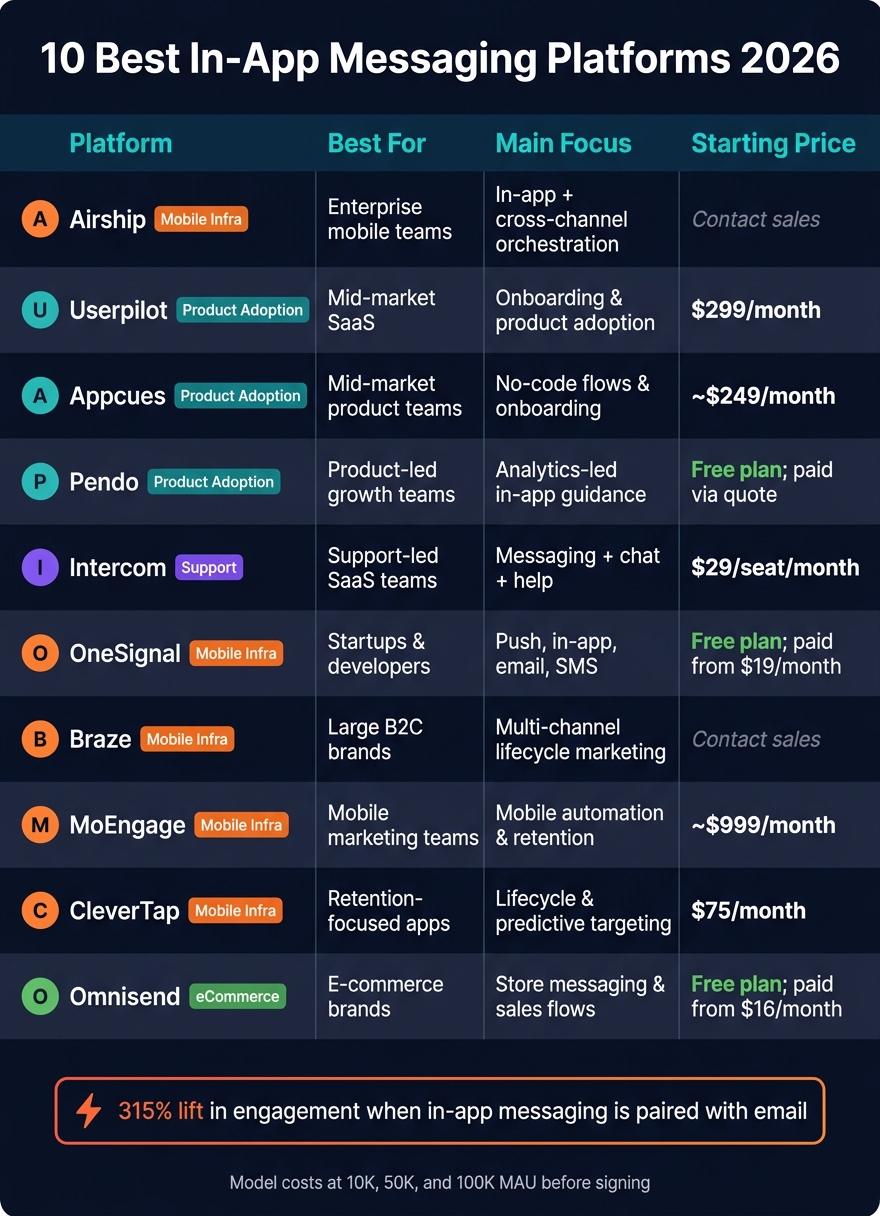
10 Best In-App Messaging Platforms 2026: Side-by-Side Comparison
| Platform | Best Fit | Main Focus | Pricing View |
|---|---|---|---|
| Airship | Enterprise mobile teams | In-app + cross-channel orchestration | Contact sales |
| Userpilot | Mid-market SaaS | Onboarding and product adoption | Starts at $299/month |
| Appcues | Mid-market product teams | No-code flows and onboarding | Starts at ~$249/month |
| Pendo | Product-led teams | Analytics-led in-app guidance | Free plan; paid via quote |
| Intercom | Support-led SaaS teams | Messaging + chat + help | Starts at $29/seat/month |
| OneSignal | Startups and developers | Push, in-app, email, SMS | Free plan; paid from $19/month |
| Braze | Large B2C brands | Multi-channel lifecycle marketing | Contact sales |
| MoEngage | Mobile marketing teams | Mobile automation and retention | Starts at ~$999/month |
| CleverTap | Retention-focused apps | Lifecycle and predictive targeting | Starts at $75/month |
| Omnisend | E-commerce brands | Store messaging and sales flows | Free plan; paid from $16/month |
My takeaway: don’t choose by brand name alone. Choose by channel needs, analytics depth, and how pricing changes as your user base grows. That’s the simplest way to build a short list that fits.
sbb-itb-8aac02d
What In-App Messaging Platforms Do
Before comparing platforms, it helps to get clear on what in-app messaging should actually do inside your product.
In-app messaging platforms send contextual messages and guidance to users while they’re actively using a web or mobile app. The goal is simple: guide users, surface features, and support retention inside the product.
Common formats include modals, banners, tooltips, slideouts, checklists, and hotspots. Each one fits a different job. A tooltip can point someone to a feature they missed. A checklist can help a new user get set up. A modal can call attention to a major update. That’s why format choice matters just as much as targeting.
Companies that pair in-app messaging with email experience a 315% boost in engagement compared to using email alone. That jump shows how much timing and context affect response.
When teams size up these platforms, a few things matter most:
- Targeting depth: behavioral triggers, user attributes, and company-level segments
- Automation: visual workflow builders and event-based triggers
- Analytics: completion rates, drop-off points, and feature adoption
- Pricing: models based on Monthly Active Users, per-seat pricing, or message volume
One practical tip: model costs at 10,000, 50,000, and 100,000 MAU before you commit. Pricing can look fine at one stage, then change fast as usage grows. These criteria frame the platform comparisons below.
Platform Comparison Table
Use the table below to compare platforms by primary use case, pricing, and fit. The idea is simple: match the tool to your main goal, whether that's onboarding, retention, mobile engagement, or marketing automation.
These tools generally fit into four buckets: mobile infrastructure, product adoption, marketing automation, and feedback-led tools. So instead of picking by brand recognition, pick by the main job you need done.
| Platform | Best For | Key Strengths | Pricing Snapshot |
|---|---|---|---|
| Airship | Mobile-first enterprises | Push and in-app messaging at scale | Contact sales |
| Userpilot | Mid-market SaaS teams | No-code flexibility and product adoption tools | Contact sales |
| Appcues | Mid-market teams | No-code flows and product adoption tools | Public starting price |
| Pendo | Product-led growth teams | Product adoption platform | Contact sales |
| Intercom | Teams that want public pricing | Clear monthly starting price | Public starting price |
| OneSignal | Startups and developers | Free tier; push and in-app messaging | Free tier available; paid plans available |
| Braze | Large-scale marketing teams | Marketing automation suite | Contact sales |
| MoEngage | Mobile marketing teams | Marketing automation suite | Contact sales |
| CleverTap | Retention-focused mobile apps | Marketing automation suite | Contact sales |
| Omnisend | E-commerce brands | Marketing automation suite | Contact sales |
No public pricing means you'll need to request a quote.
1. Airship
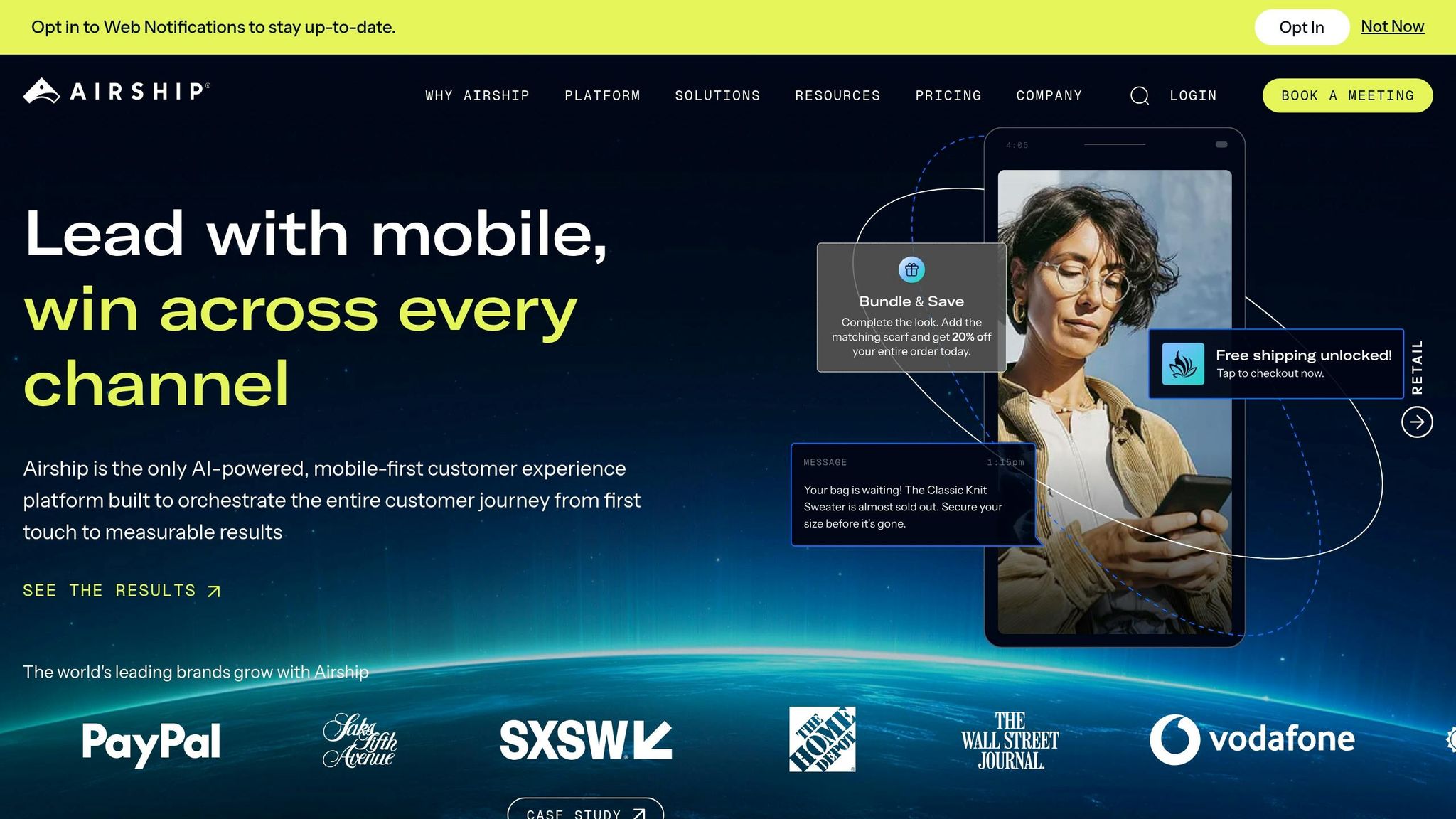
Airship is built for enterprise mobile teams that want in-app messaging tied closely to cross-channel orchestration.
Targeting and Behavioral Triggers
Airship uses a unified contact-level view and supports zero-copy data integration, which means teams can work with warehouse data without moving it first. That matters when speed and data control are a big deal.
Messages can fire from real-time events like geofence entry, loyalty milestones, or cart actions. So instead of sending the same message to everyone, teams can react to what a user just did. Airship also includes Intelligent Rollouts, which can test up to 26 message variations at the same time and shift delivery toward the better-performing options.
Message Formats and Cross-Channel Support
If your team runs a heavy mobile program, Airship gives you a lot to work with. It supports:
- multi-screen Native Scenes
- persistent Message Centers
- in-app surveys
- Preference Centers
Where Airship stands out is its built-in orchestration across push, in-app, SMS, email, and mobile wallet. It also includes frequency capping, which helps cut down on message fatigue when campaigns start piling up.
Hawaiian Airlines used Airship's cross-channel onboarding approach and saw a 6.5x lift in registrations on first app open. Orange France used Airship's no-code native experiences for onboarding and surveys and went from collecting a month's worth of survey responses to the same volume in a single day, along with a 30x increase in response rates and a 9-point NPS boost.
Analytics and Experimentation
After campaigns go live, Airship tracks conversions, revenue, and retention with direct attribution. It also uses engagement data to tune send timing and content, so teams can keep improving instead of guessing.
The Campaigns AI Agent, launched in April 2026, helps teams create and line up cross-channel content from one shared brief.
Pricing
Airship's Essentials plan includes push, in-app messaging, basic segmentation, and analytics. Enterprise/AXP adds advanced segmentation, automation, A/B testing, mobile wallet, and dedicated support.
The catch is pricing isn't public. That can make early budgeting a bit tricky, so expect to talk with sales before you can map out costs.
Airship fits best when you need enterprise scale and channel depth, not a light setup.
2. Userpilot
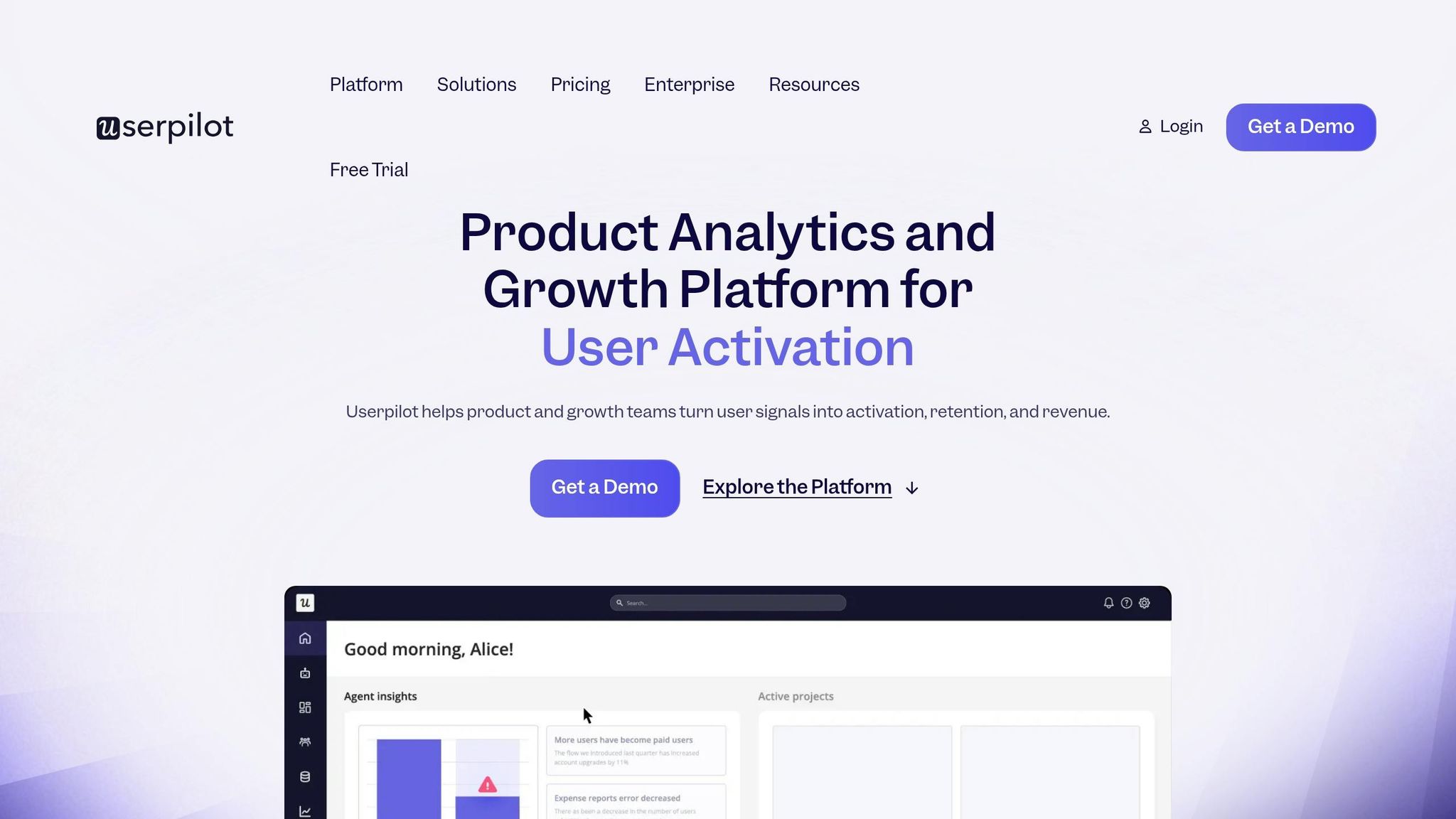
For SaaS teams that care more about product adoption than channel management, Userpilot is a no-code tool worth a close look.
It helps product teams improve onboarding and adoption with behavior-based in-app messaging, all without digging into the codebase.
Targeting and Behavioral Triggers
Userpilot’s segmentation engine pulls together user identity, behavior data, NPS scores, and survey responses to build dynamic segments. Teams can target users by lifecycle stage, role, plan tier, days since signup, company data, or feature flags. They can also trigger messages based on clicks, page visits, and completed events without making code changes.
In 2026, Lia adds AI-driven campaign automation based on observed user behavior.
Message Formats and Analytics
Userpilot supports a wide mix of in-app formats, including modals, tooltips, banners, slideouts, hotspots, checklists, and in-app surveys. It works across web and mobile apps, including iOS, Android, React Native, and Flutter.
There’s no native email or SMS. That said, Workflows can link in-app journeys to email.
On the analytics side, Userpilot includes funnel reports, user paths, retention cohorts, and feature heatmaps. It also has built-in A/B and multivariate testing, so teams can test message variants without paying for a separate tool.
The product results here are pretty telling. In March 2026, Kontentino used Userpilot’s interactive checklists to guide users through its self-serve go-to-market motion and saw a 10% increase in user activation in the first month. Jiminny’s product team moved from static announcements to guided feature tours. By segmenting users by role and plan, then using tooltips to nudge engagement, they reached a 79% renewal rate for enterprise customers.
Pricing
| Plan | Price (Billed Annually) | MAU Limit | Key Features |
|---|---|---|---|
| Starter | From $299/mo | Up to 2,000 | All UI patterns, NPS, core analytics, 10 segments |
| Growth | Custom | Starts at 5,000 | Advanced analytics, Workflows, Event Autocapture, Resource Center |
| Enterprise | Custom | Starts at 10,000 | Data warehouse sync, SAML SSO, custom roles, Lia's full predictive capabilities |
Only the Starter plan has public pricing. Growth and Enterprise require custom quotes.
One thing to watch: if you install the SDK on public marketing pages, your MAU count can climb fast and move your team into a higher-priced tier sooner than expected.
3. Appcues
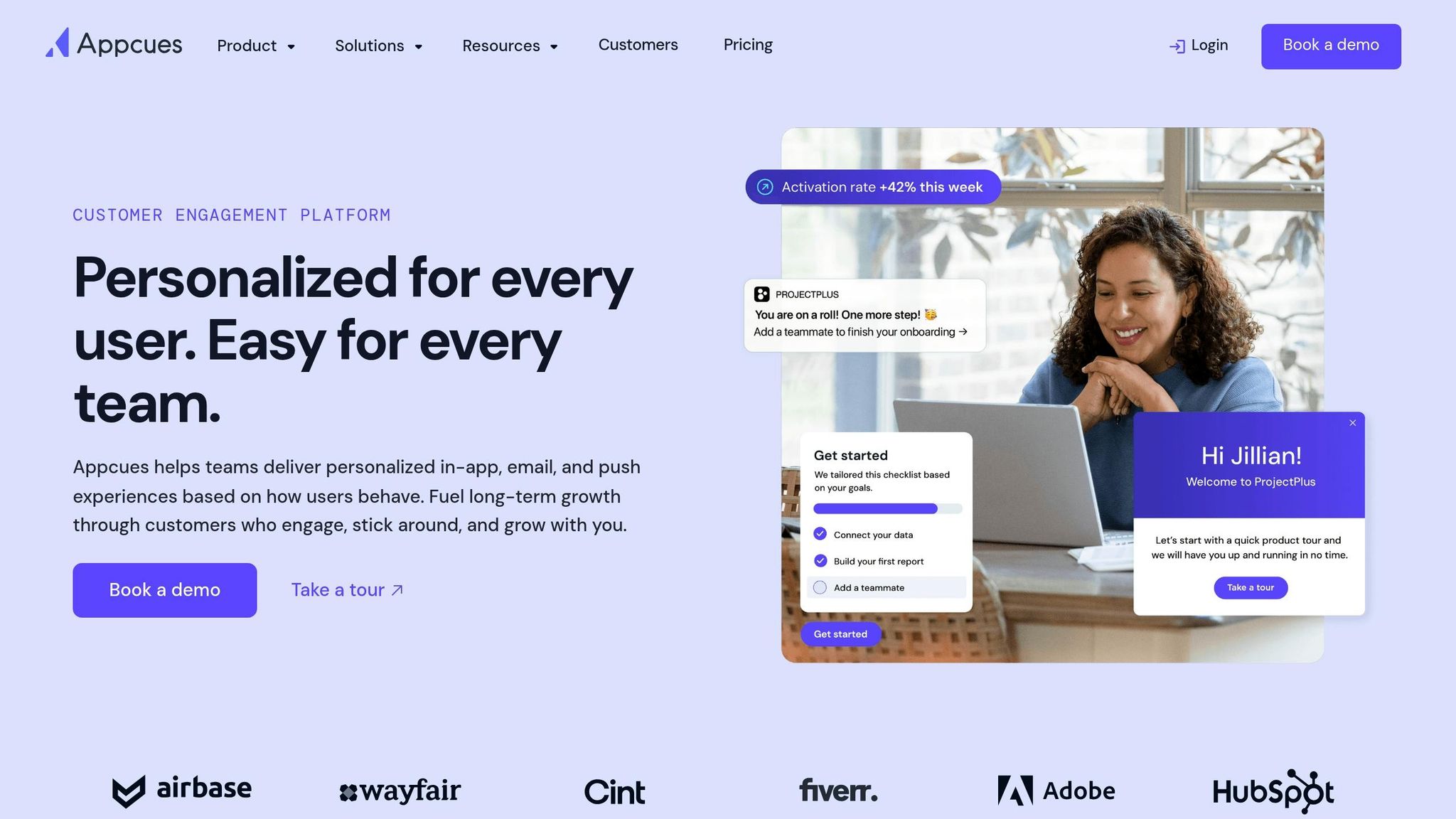
If you want no-code onboarding with a simpler, faster setup, Appcues is a strong next pick. It’s built for fast no-code onboarding and in-app messaging, with lighter native analytics than product-adoption suites.
Targeting and Behavioral Triggers
Appcues lets teams segment users by role, plan type, event frequency, and lifecycle stage. You can trigger messages based on specific actions, page visits, or inactivity without writing code. It also supports AI prompts for building segments in plain language, and teams can sync segments straight from CRMs or CDPs.
Message Formats and Cross-Channel Support
The visual builder includes modals, tooltips, checklists, banners, slideouts, hotspots, and in-app surveys. Workflows can branch across in-app messages, email, and push notifications.
Analytics and Experimentation
Once flows go live, Appcues shows how users move through them. It tracks views, clicks, flow completion rates, and drop-off points. The Goals feature ties messaging to activation and retention metrics, and native A/B testing is included, so teams can compare variants without a third-party tool. Native product analytics are limited.
Pricing
| Plan | Starting Price (Billed Annually) | MAU Limit |
|---|---|---|
| Essentials | ~$249/mo | 2,500 |
| Growth | ~$879/mo | 10,000 |
| Enterprise | Custom ($1,500–$5,000+/mo) | Custom |
Annual contracts generally run from $6,462 to $44,320, depending on scale. Since pricing climbs fast with MAU volume, it’s smart to model costs at 10,000, 50,000, and 100,000 users before committing.
4. Pendo
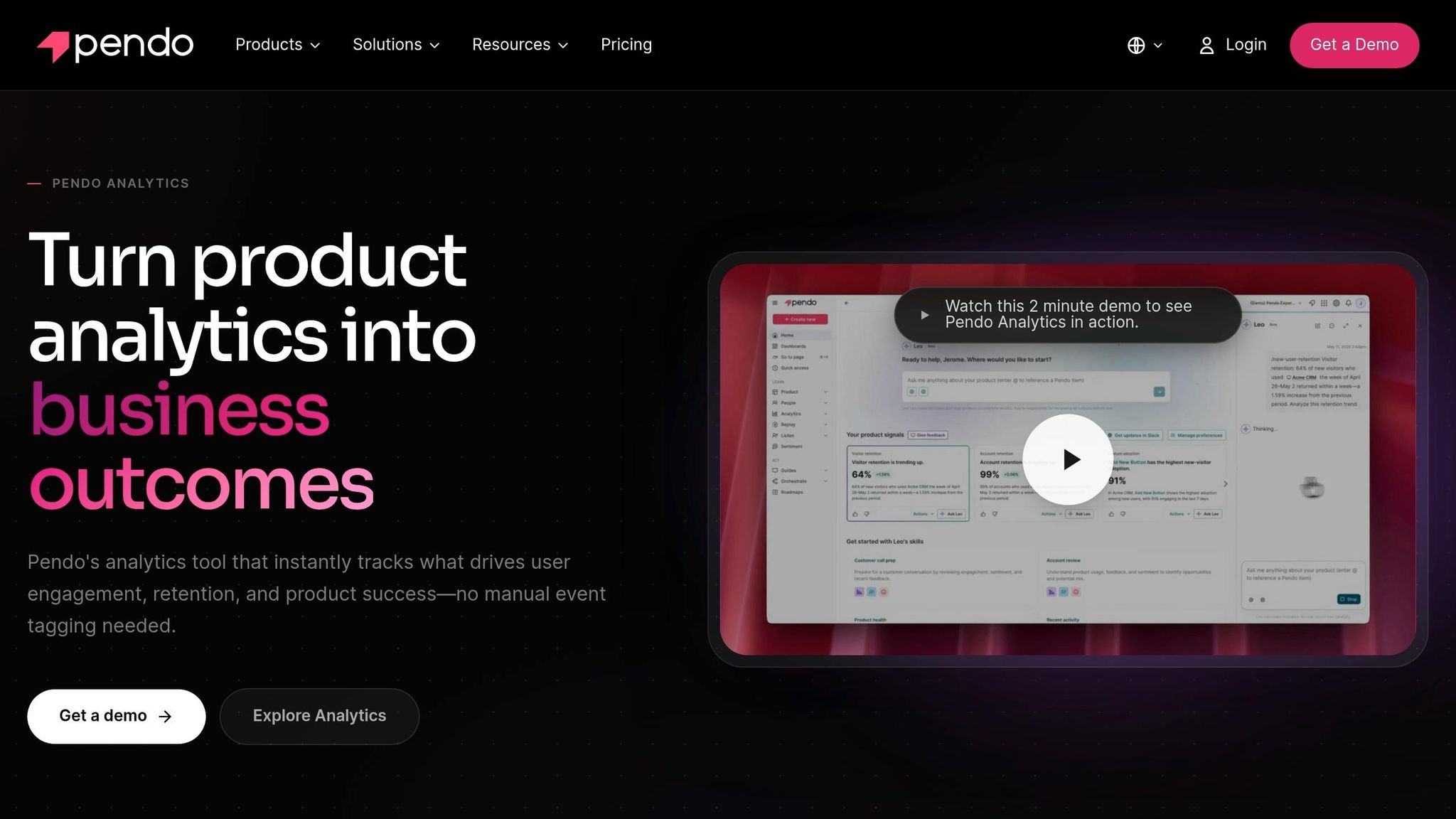
Pendo is a strong pick for teams that want to use product analytics to shape in-app messaging. If you need to see what users do before you decide what to show them, Pendo deserves a close look.
Targeting and Behavioral Triggers
Pendo’s standout feature is auto-tracking. From the moment it’s installed, it records clicks, page views, and form submissions without manual tagging. That gives teams a big advantage: you can build segments from past data going back to the install date.
Guides can be triggered by tagged UI elements, user actions, or segmentation rules. They also support conditional logic, so different users can see different content based on who they are or what they’ve done.
Message Formats and Cross-Channel Support
Once your data is set up, you can launch targeted in-app guides with Pendo’s no-code visual builder. It supports:
- Tooltips
- Hotspots
- Banners
- Modals
- Checklists
That said, Pendo is strictly in-app. It doesn’t support email, push, or SMS. So if your plan depends on lifecycle messaging across more than one channel, this probably isn’t the right tool.
Analytics and Experimentation
This is where Pendo pulls ahead. On Core and higher plans, the platform includes funnel, retention, path, and session replay analytics. Data Explorer lets teams run SQL-like queries without code, and Leo handles plain-language queries.
In plain terms, Pendo doesn’t just help you show messages. It helps you figure out why those messages should appear in the first place.
Pricing
Pendo doesn’t publish clear pricing, and paid plans require talking to sales. The Free plan supports up to 500 MAUs and includes basic guides plus branded NPS surveys. After that, pricing climbs fast as MAU volume grows.
| Tier | MAU Limit | Est. Annual Price | Notable Features |
|---|---|---|---|
| Free | 500 | $0 | Basic guides, branded NPS |
| Base | 2,000–5,000 | $15,900–$35,000 | Full analytics, 1 integration |
| Core | 5,000–15,000 | $25,000–$50,000+ | Session replays, Data Explorer |
| Ultimate | 50,000+ | $100,000+ | Journey orchestration, custom CSS/JS |
Pricing rises fast with MAU volume.
5. Intercom
Intercom moves beyond product messaging alone. It combines messaging with support, so teams can handle onboarding and help in the same place. The core idea is simple: use proactive in-app conversations and product tours to guide users while also being ready to support them when they get stuck.
Targeting and Behavioral Triggers
Intercom lets teams target users based on lifecycle stage, behavior, account type, role, team size, and plan tier. Messages can also fire from user actions, like abandoning a workflow or hovering over a UI element. That level of targeting gives teams a lot of control over when and where a message shows up. Workflows start on higher-tier plans.
Message Formats and Cross-Channel Support
After targeting is in place, Intercom handles both in-app delivery and support workflows in one workspace. It supports:
- In-app messages
- Product tours
- Tooltips
- Banners
- Checklists
- Surveys
- Live chat
It also brings email, live chat, help centers, and support tickets together, which can make day-to-day support feel less scattered.
The Fin AI Agent can resolve queries automatically. Pricing is $0.99 per resolution, with no volume discounts or caps.
Analytics and Experimentation
Intercom reports on views, clicks, completions, and feature adoption. Revenue Attribution ties messages or conversations to conversions. A/B testing is included, while custom reports start on Advanced.
Pricing
| Plan | Price (per seat/month, billed annually) | Notable Features |
|---|---|---|
| Essential | $29 | Basic messaging, shared inbox |
| Advanced | $85 | Workflows, custom reports |
| Expert | $132 | SLA management, advanced reporting |
| Fin AI Agent | $0.99/resolution | Autonomous AI support |
Costs can climb fast at scale. For example, a 10-person team handling 2,000 resolutions per month can spend about $3,200. That’s the trade-off with Intercom: one workspace for messaging and support, but less certainty around total cost as usage grows.
It fits teams that want in-app messaging, onboarding, and support in one place, especially if they’re keeping a close eye on per-seat pricing and AI resolution fees.
6. OneSignal
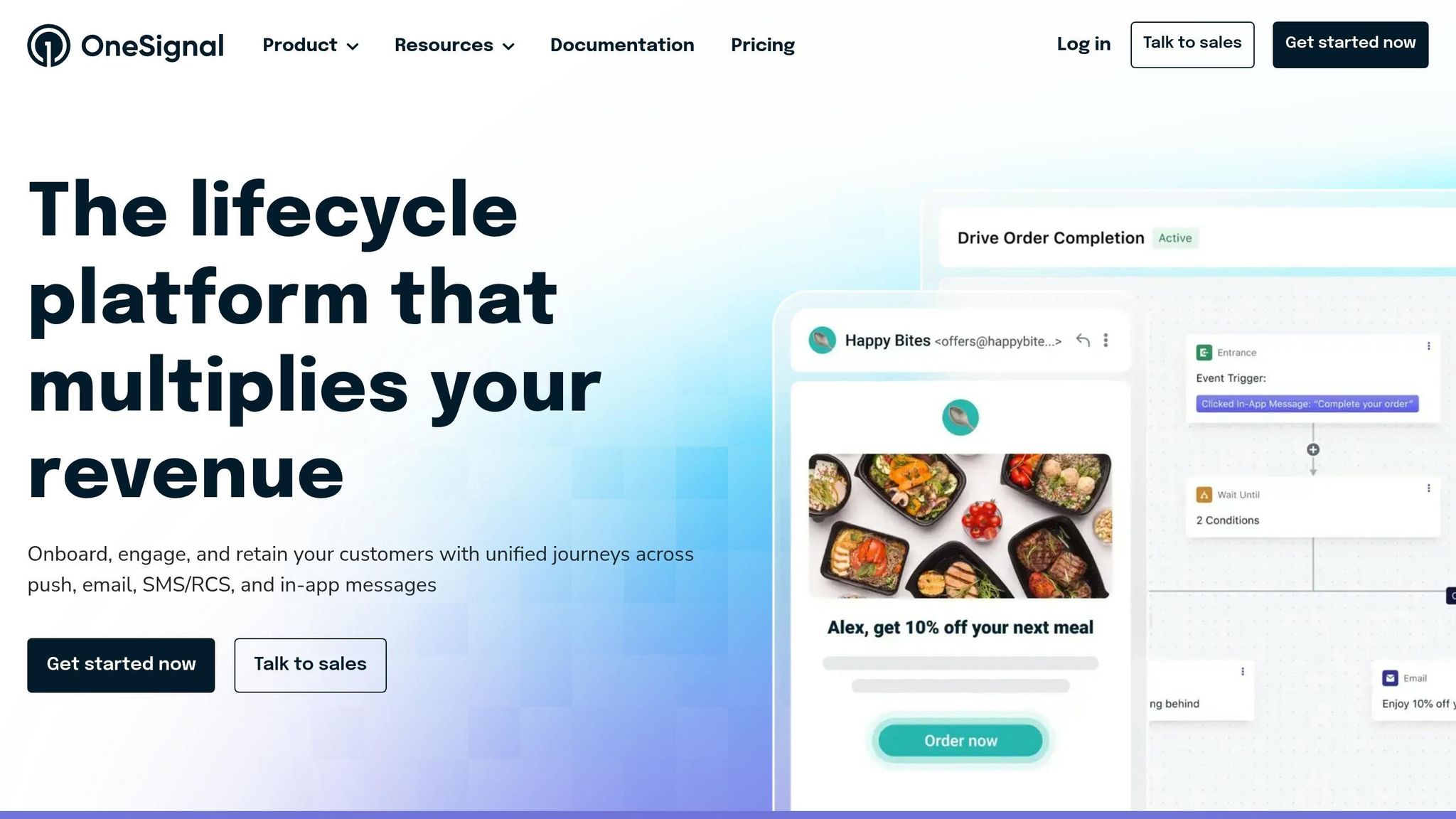
OneSignal is built for high-volume in-app messaging across channels. So it tends to fit teams that want broad reach and simple execution more than deep product analytics.
Targeting and Behavioral Triggers
You can target users with tags, app version, location, and event-based triggers like app open, purchase, or milestone completion. If you need more involved flows, Journeys gives you a no-code visual builder for multi-step, cross-channel sequences that react to real-time user behavior.
Personalization is handled through Data Tags and Liquid syntax. That lets teams drop in user names, attributes, or custom URLs on the fly, which is handy when you want messages to feel less generic.
Message Formats and Cross-Channel Support
OneSignal supports several in-app layouts:
- Top
- Center
- Bottom
- Full-screen
- Carousels with up to 10 screens for onboarding
It also goes beyond in-app messaging. The platform supports mobile push, web push, email, SMS/RCS, and iOS Live Activities. In plain terms, you can run a lot of user messaging from one place instead of stitching together a bunch of separate tools.
Analytics and Experimentation
If you're sending at scale, reporting depth depends a lot on the plan. Free and Growth include basic analytics with 30 to 90 days of reporting history. Professional and Enterprise add conversion metrics, user activity timelines, and up to 2 years of history.
A/B testing follows the same pattern. Basic testing is included on Free and Growth, while more advanced testing is limited to Professional and Enterprise. So if your team cares a lot about deeper reporting or tighter test setup, the lower tiers may feel a bit light.
Pricing
| Plan | Base Cost | Key Capabilities |
|---|---|---|
| Free | $0/month | Unlimited mobile and web push, 10,000 emails/month, 1 active in-app message |
| Growth | $19/month + usage | Unlimited in-app messages, A/B testing, Journeys, 90-day history |
| Professional | $99/month | Dynamic content, confirmed delivery tracking, priority support, up to 2 years of history |
| Enterprise | Custom | Advanced security, dedicated support, custom SLAs |
Growth pricing is usage-based, so larger apps should model costs before committing.
It fits teams that need broad multi-channel reach, not a built-in inbox or deep lower-tier analytics.
7. Braze
Braze is an enterprise customer engagement platform built for B2C teams that want in-app messaging as part of a broader lifecycle setup. It goes well beyond simple pop-ups or one-off campaigns. If your team needs in-app messaging tied to a full cross-channel system, Braze is built for that job. In 2024, it handled 3.9 trillion messages and Canvas actions and supports 2,300+ brands across 195 countries.
Targeting and Behavioral Triggers
Braze processes behavioral events in real time, which means messages can go out the moment a user abandons a cart, finishes an assessment, or opens the app, instead of sitting around until the next batch send.
Its segmentation tools are deep, too. You get:
- 100+ filters for audience targeting
- A SQL composer for custom cohorts
- Direct data ingestion from warehouses like Snowflake and BigQuery
BrazeAI adds churn scoring, purchase propensity scoring, and send-time optimization. On top of that, Canvas Flow lets teams build onboarding, win-back, and transactional journeys with branching logic that reacts to live user behavior. That matters because user journeys rarely move in a straight line.
Message Formats and Cross-Channel Support
Braze supports in-app messages, push, email, SMS/MMS, WhatsApp, and Content Cards. That gives teams room to coordinate messaging across the channels people already use.
With Canvas Flow, those channels can work together in sequence. For example, a cart add can trigger a push notification within milliseconds, then follow with an email if the user doesn't convert. Braze also includes frequency capping and AI timing optimization, which helps prevent the “too many messages, too fast” problem that can wear users out.
Analytics and Experimentation
Braze leans hard into testing and optimization. Experiment Paths can shift traffic toward winning variants while a campaign is still running. In plain terms, you don't have to wait until the campaign ends to spot what's working.
BrazeAI Decisioning Studio takes that a step further by extending A/B testing with continuous AI optimization toward specific conversion metrics.
Pricing
Braze does not publish list prices. Pricing is negotiated through annual contracts based on Monthly Active Users (MAU) and message volume. Implementation usually takes 12–18 weeks and typically needs engineering support.
| Tier | Estimated Annual Cost | Notes |
|---|---|---|
| Go/Core | $30,000–$60,000 | <100K MAU, basic reporting, A/B testing, Segment Builder |
| Pro | $80,000–$250,000 | 100K–1M MAU, predictive AI, SMS, advanced analytics |
| Enterprise | $250,000–$1,000,000+ | 1M+ MAU, BrazeAI Agent Console, dedicated support |
It also makes sense to plan for extra costs beyond the base contract. Add-ons like Braze Currents can run $5,000–$20,000+ per year, and professional services can add another $10,000–$50,000+. A smart move here is to negotiate MAU overage rates up front, since default overage charges can come in much higher than base rates.
8. MoEngage
MoEngage is a mobile-first engagement platform built for consumer brands that need real-time messaging across in-app and other channels. Compared with heavier enterprise suites, it stays focused on mobile automation and smart channel routing.
Targeting and Behavioral Triggers
MoEngage goes deep on segmentation. On top of standard demographic and behavior filters, it supports RFM models (Recency, Frequency, Monetary) and lifestyle-based affinity segments. Its AI can predict churn, purchase intent, and dormancy risk.
Its trigger options cover a lot of ground. You can react to real-time actions like Add to Cart, business events like price drops or back-in-stock alerts, device events such as app exit, and location-based signals. MoEngage also supports in-session targeting, which uses live session data like device, location, time, and user actions.
Message Formats and Cross-Channel Support
For in-app messaging, MoEngage supports banners, slide-up cards, full-screen overlays, carousels, and Content Cards, which work like a personalized in-app newsfeed. If you want something more guided, Native Scenes supports multi-screen in-app flows.
Flows ties in-app messaging to push, email, SMS, WhatsApp, and web push. The Most Preferred Channel feature sends each message through the channel a user is most likely to engage with. If that channel fails, fallback logic can move the message to another one.
That setup isn’t just nice on paper. Tiket.com cut churn by 30% with real-time booking abandonment flows across multiple channels. Tanishq lifted click-to-conversion rates by 107% and increased weekly app retention by 25% through personalized in-app tests.
Analytics and Experimentation
MoEngage includes funnels, retention curves, user paths, cohort analysis, and revenue attribution. For testing, it offers A/B testing and Intelligent Path Optimizer, which is built for AI-driven flow testing.
Pricing
MoEngage lists starting prices, but enterprise quotes are custom. Content Cards, AI Predictions, and WhatsApp Native cost extra.
| Plan | Starting Price | Basis |
|---|---|---|
| Standard | ~$999/month | Up to 10,000 MTUs |
| Growth | ~$4,999–$5,999/month | 50,000–100,000 MTUs |
| Enterprise | Custom, starting at ~$19,999/month | Full AI workflows, dedicated SLAs |
Those add-ons can push the total cost up fast, so it’s worth checking what’s included before you sign.
9. CleverTap
CleverTap keeps the mobile-first focus, but leans harder into retention and lifecycle work. It’s built for teams that care about getting users to come back, stick around, and convert more often. Where it stands out is the mix of in-app messaging, predictive targeting, and journey optimization.
Targeting and Behavioral Triggers
CleverTap uses real-time behavior for predictive segmentation. It groups users by recency, frequency, and monetary value through RFM analysis, and its Predictions Agent helps teams target users based on churn risk and purchase intent.
Teams can also build audiences around immediate actions, stated preferences, and lifecycle stages. That gives marketers a lot more control than simple broad segments. Instead of sending the same message to everyone, they can react to what users just did and where they are in the customer journey.
Message Formats and Cross-Channel Support
CleverTap supports a wide range of in-app formats, including cover, interstitial, header, footer, optimizing lead-gen forms, picture-in-picture (PiP) draggable windows, and gamified templates like Spin the Wheel and Scratch the Card.
Its Journeys feature connects in-app messaging with push, email, SMS, WhatsApp, RCS, and app inboxes. IntelliNODE then tests journey variants and sends users down the best-performing path. In plain English: it doesn’t just help you send messages across channels, it also helps you figure out which route is most likely to work.
Analytics and Experimentation
CleverTap comes with real-time analytics, funnels, cohorts, session analysis, uninstall tracking, and NPS reporting. For teams that like to test before going all in, A/B testing covers both content and UI variants.
IntelliNODE also handles campaign-variant orchestration across channels. So if you’re testing different flows, messages, or touchpoints, the platform can manage that logic without turning the setup into a mess.
Pricing
Pricing is based on monthly active users, or MAUs, and add-ons can make total costs harder to pin down.
| Plan | Price | Includes |
|---|---|---|
| Essentials | $75/month for up to 5,000 MAUs | Omnichannel campaigns, audience segmentation, basic analytics |
| Advanced | Custom pricing | Automated segmentation, hyper-personalization, premium engagement channels |
| Cutting Edge | Custom pricing | CleverAI intelligence, predictive segmentation, real-time product recommendations |
Overage fees are estimated at $1.50 per additional 100 MAUs. Add-ons such as WhatsApp, RCS, SMS Direct, and Product Experiences cost extra. There’s also a 30-day free trial for apps with fewer than 20,000 MAUs.
10. Omnisend
For e-commerce teams, Omnisend keeps the focus where it matters most: store messaging and sales automation.
It’s an e-commerce-first engagement platform built around store data, on-site messaging, and revenue automation. Omnisend offers one-click Shopify and WooCommerce integrations that automatically sync product catalogs. As of May 2026, it supports more than 125,000 e-commerce brands.
Targeting and Behavioral Triggers
Omnisend pulls in real-time store data and turns it into dynamic segments based on spend, average order value, product or category history, recency, and lifecycle stage. It also includes a natural-language segment builder, so teams can build segments from plain-English prompts. Workflows can trigger from cart abandonment, product views, order placement, and customer account creation.
That live store data is a big reason the platform works well for cart recovery and post-purchase messaging.
Message Formats and Cross-Channel Support
Omnisend supports email, SMS, web push, popups, signup forms, and gamified widgets like Wheel of Fortune. Its visual builder lets you connect those touchpoints into multi-step automations with splits and delays. Web push notifications come built in on all paid plans at no extra cost. Pre-built automations for welcome series, cart abandonment, browse abandonment, and order confirmations can be turned on in minutes.
In plain terms, you can run a lot of your store messaging from one place instead of patching together separate tools.
Analytics and Experimentation
Omnisend’s revenue attribution ties revenue back to the message or test variant that drove it. You can also test full workflow paths. For example, you might compare an email-only abandoned cart flow with one that adds SMS and then check revenue lift by variant. The Customer Lifecycle Map groups subscribers by spending habits, purchase frequency, and recency to flag loyal, at-risk, or nurture-ready customers using proven CRM strategies.
Omnisend does not include deeper predictive tools like churn scoring or predicted next purchase date.
Its sweet spot is commerce conversion, not broad product-adoption analytics.
Pricing
| Plan | Starting Price | Contacts | Emails/Month | Notable Inclusions |
|---|---|---|---|---|
| Free | $0/month | 250 | 500 | All features, 500 web push notifications, $1 SMS credit |
| Standard | $16/month | 500 | 6,000 | 24/7 chat/email support, Forms AI |
| Pro | $59/month | 2,500 | Unlimited | Free global SMS credits equal to plan cost |
At 10,000 contacts, the Standard plan costs about $132/month. U.S. SMS pricing is about $0.015 per message. Omnisend bills by billable contacts, which includes opted-in subscribers and transactional recipients.
Conclusion
After looking at the 10 tools above, the choice mostly comes down to your use case, channel mix, and budget.
Here’s a quick way to narrow your shortlist:
| Primary Goal | Best-Fit Platforms | Why |
|---|---|---|
| Product onboarding | Appcues, Userpilot, Pendo | No-code builders for tours, tooltips, and checklists |
| Support-led engagement | Intercom | Combines live chat, help center, and in-app messaging |
| Enterprise orchestration | Braze, MoEngage | Advanced segmentation at high volume |
| eCommerce messaging | Omnisend | Behavioral triggers built around store data and revenue automation |
| Mobile-first / developer | Airship, OneSignal | Deep SDK integration for native mobile experiences |
Once you have a short list, compare pricing based on your current MAU and where you expect that number to go. Cost can shift fast. Appcues and Userpilot start at about $249/month, while Braze and Pendo are priced for enterprise teams. It’s smart to model pricing at 10,000, 50,000, and 100,000 MAU before you sign anything. Some platforms look fine at first, then jump hard as you grow.
The best pick is usually the one that fits your main job to be done, not the one with the longest list of features. In-app messaging is a channel choice, not just a feature choice.
FAQs
How do I choose the right platform for my use case?
Choose based on your technical needs, main use case, and the resources your team has on hand.
Start with a simple question: do you want a no-code tool that’s fast to set up, or an SDK/API-based platform that gives you more control? From there, line it up with what you’re trying to do - whether that’s onboarding, feature adoption, support, or transactional messaging.
It also helps to look at the nuts and bolts:
- Scalability
- Real-time performance
- Ease of use
- Security and compliance needs
The right choice is the one that fits your product goals and the amount of engineering support you can spare.
What costs should I model before signing a contract?
Before signing a contract, map out the costs tied to:
- initial setup
- ongoing subscription fees
- per-message charges
- infrastructure
- support and maintenance
That gives you a clearer picture of the total cost.
Do I need in-app messaging only or a cross-channel tool?
It comes down to what you want to do.
In-app messaging is the better fit when you want to reach people inside your product while they’re using it. That makes it a strong choice for onboarding, feature announcements, and feedback prompts.
A cross-channel tool makes more sense if you also want to reach users through email, push notifications, SMS, or chat apps. Go with in-app messaging if your focus is product-led engagement. Pick a cross-channel tool if you want a broader, coordinated way to communicate across multiple touchpoints.